
 Svenska
 Dansk
Dansk
 Suomi
Suomi
 Español
 Deutsch
 Français
 Italiano
 Nederlands
 Polskie
 Norsk
Norsk
Cart
Your cart is empty, but doesn't have to be..
Your cart is empty, but doesn't have to be..
Digital Skipper |19/10, 2026
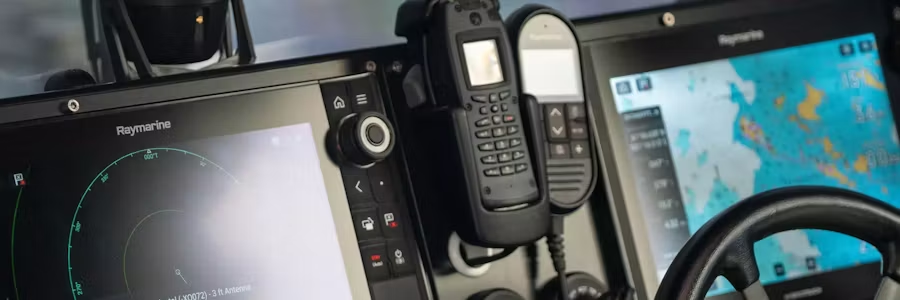
Modern multifunction displays are effectively advanced computers for the boat. They handle charts, radar, AIS, sonar, autopilot, instrument data and a wealth of information from the boat's NMEA 2000 or SeaTalkNG network. So when something starts to go wrong, a reboot, software update or reset is often a perfectly reasonable first step.
But how many times should you actually restore the system?
And when is the time to say: Enough is enough. This device needs to be reported and investigated.
The current case is about a Raymarine Axiom, but this article is not really about Raymarine. The same situation can arise with navigation equipment from any manufacturer. The question is therefore more general: How long should we continue to restore, update and change the installation before it is time to suspect the product itself and file a proper fault report?
The boat owner had been experiencing recurring problems with his chartplotters for several years. The symptoms varied:
This is also the type of error that can be difficult to diagnose.
A chartplotter that won't start at all is relatively easy to diagnose as faulty. Intermittent problems are much more difficult. The fault can be due to the MFD itself, but also to the power supply, the network, connected transducers, the configuration or the software.
Therefore, you must troubleshoot.
But troubleshooting also needs to have an end.
In the current case, the boat owner had tried over the years, among other things, to:
Despite this, the problems returned.
The interesting thing is therefore not exactly which action would have solved this particular installation. The question is rather how long one should continue to change the installation before the product itself is examined.
A Factory Reset can be a very relevant part of troubleshooting. It can help rule out an incorrect setting or configuration.
However, if the same or similar errors recur after a properly performed reset, there is limited value in repeating the same procedure over and over again.
A reset should be a step in a troubleshooting chain, not the troubleshooting strategy itself.
This is perhaps the most important lesson.
When a marine electronics system has problems, it is tempting to change several things:
Update the software, reset the chartplotter, change the GPS source, disconnect a transducer, and restart the network.
If the problem then disappears, we don't actually know why.
At Digital Skipper, we prefer a methodical approach.
Write down:
Feel free to film the screen with your mobile phone when the problem occurs. A 20-second video clip can sometimes describe an intermittent problem much better than a long support ticket.
Before suspecting the plotter itself, the power supply, cabling and network should be examined first.
A voltage problem, poor connection, or network error can cause symptoms that at first glance look like an MFD error.
Make sure that the devices are using appropriate and current software versions for the installation.
If practically possible, try to reduce the system.
Does the problem go away when a particular network component or peripheral is disconnected?
Does the error persist even when the plotter is run in a significantly simpler configuration?
The more you can isolate the problem, the better information support will receive.
When the above has not identified the cause, a reset may be a relevant diagnostic step.
But here comes the important part:
If the same problem recurs after the reset, you should document it and continue troubleshooting, not automatically do another reset.
There is no magic limit to how many restarts or resets are acceptable.
But we think you should contact the retailer or manufacturer's technical support early if, for example:
This does not automatically mean that the plotter is broken .
But it is a signal that the next step should be structured troubleshooting together with the retailer or manufacturer and, when circumstances warrant, physical examination of the product.
Repeating the same action five times rarely yields five times better diagnostics.
Here is another important lesson from the current case.
After several years of troubleshooting, the question finally came up as to whether the unit should perhaps be sent in and examined.
The problem, of course, was that so much time had passed by then that the warranty issue looked completely different.
It is a situation that both the customer, the retailer and the manufacturer should preferably avoid.
Raymarine currently states that a new product registered online within 90 days of purchase can have its warranty extended from two to three years at no additional cost .
That's why it's something we really recommend doing right after installation.
Registration also has other benefits. According to Raymarine, it creates a record of product and serial numbers, and registration gives their technical support a better picture of the system when help is needed.
Raymarine's own documentation also emphasizes the importance of registering the product to fully benefit from warranty benefits. The serial number required for registration is located both on the product and on the product label/packaging. Our advice: register the product when it is installed, not when it starts to malfunction.
Save at the same time:
This makes a future support or warranty issue much easier to handle.
There is also a difference between asking support about a problem and systematically documenting a recurring error.
Therefore, if a new plotter starts to freeze or restart, we would not wait several seasons to take the problem further.
Document what happens and when it happens. Save communications with support and resellers. Note the actions taken and the results.
If the same symptoms continue, the question should be raised as to whether the device needs to be examined.
Raymarine has specific processes for both in-warranty and out-of-warranty products, and the company also states that products can be booked for repair after the warranty period has expired.
The important thing is not that every strange behavior should immediately result in a return.
The important thing is not to troubleshoot the entire warranty period.
After five years of recurring problems, the boat owner finally had enough.
When the instrument overlays froze again and the screen image started to twitch so that the power had to be cut off, he ordered, quite spontaneously, a B&G Zeus 3S.
Will it work better?
Of course we don't know.
All advanced navigation systems can suffer from installation, network, software and hardware problems. Changing brands is therefore no guarantee that you will never have to troubleshoot again.
But we fully understand the frustration behind the decision.
Because after several years of troubleshooting, you finally don't want to hear:
“Have you tried Factory Reset?”
You want to know why you still need to do it.
Factory Reset is a great tool.
Software updates are important.
Checking power supply, network, sensors and data sources is necessary.
But troubleshooting must be systematic and progressive . Each action should ideally rule something out and move the troubleshooting forward.
When the same error recurs despite performing the normal troubleshooting steps, it's time to move on.
Document the error. Register the product. Save the serial number and proof of purchase. Report recurring problems in a timely manner. And above all: don't let Factory Reset become a five-year troubleshooting method.