How to upgrade the software on your Raymarine YachtSense Link router

|20/09, 2024

How to upgrade the software on your Raymarine YachtSense Link router

Detailed step-by-step guide to upgrading YachtSense Link software with AXIOM chartplotter.

To ensure optimal performance for your Raymarine YachtSense Link router, it is important to upgrade the software correctly. This step-by-step guide shows you how to upgrade with an AXIOM chartplotter – from preparing the files to completing the upgrade and testing the system.

YachtSense Link can be upgraded using the included .tar.bz2 file. You can use either an AXIOM chartplotter or a computer for the upgrade.

Upgrade via AXIOM – Important preparations

Note: If you are upgrading from version v4.21, the following conditions must be met:

  1. AXIOM must be running LightHouse LH4.7.172 or later before the upgrade.
  2. Perform a MASTER RESET on YachtSense Link before the upgrade. (If your device has v4.30 or higher, no reset is needed.)

Step-by-step procedure

  1. Download the software from Raymarine's website. Extract the .zip file so that the .tar.bz2 file is in the root directory of your MicroSD card.
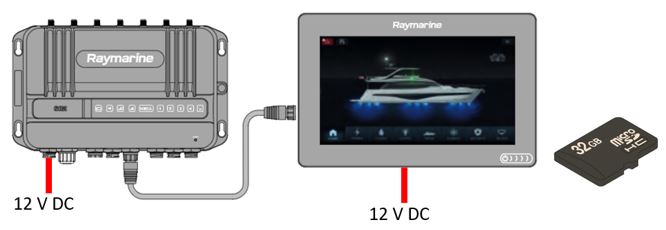
  2. Insert the MicroSD card into the AXIOM and power on both YachtSense Link and the AXIOM chartplotter.

    Yachtsense Link upgrade step 1
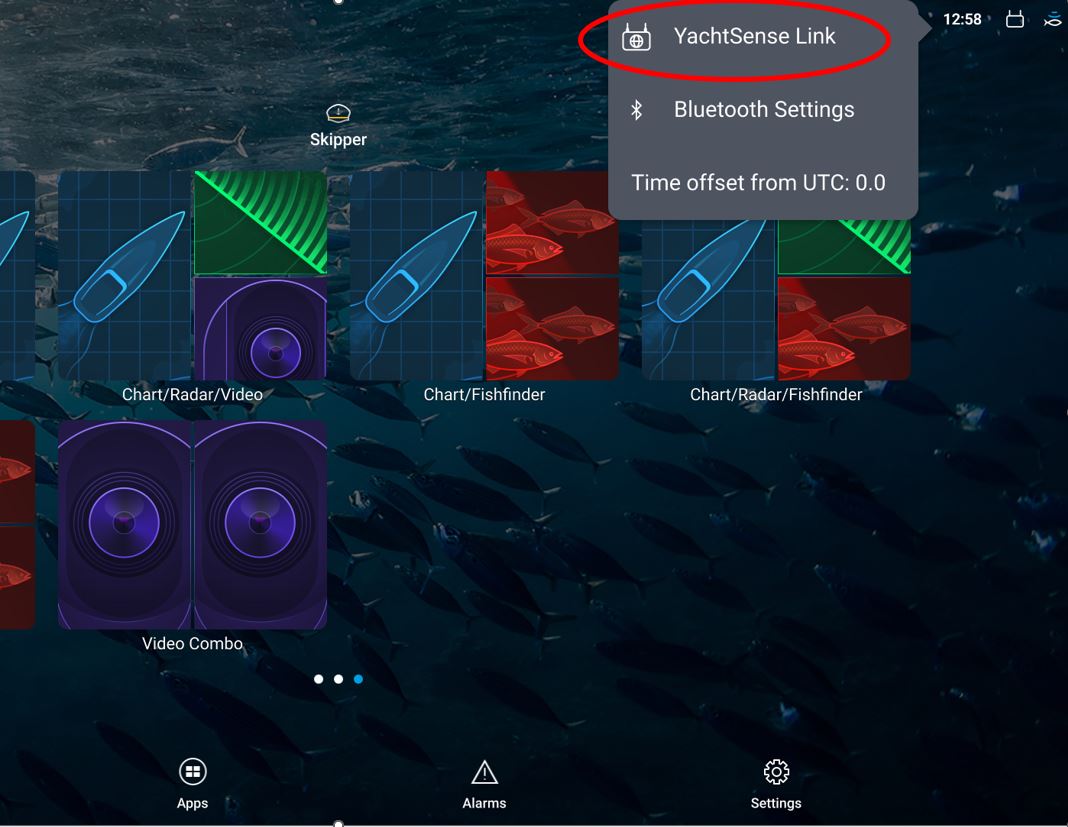
  3. On the AXIOM (with LH4.7.172 or higher), go to the home screen.

    AXIOM home screen
  4. Open the YachtSense Link Calibration page from the home screen.
  5. If you are running v4.21 or lower, perform a factory reset:
    1. Advanced Settings > Restart & Factory Reset > Enter the administrator password (found on the label).
    2. Click on Reset to factory settings and wait for the device to restart.
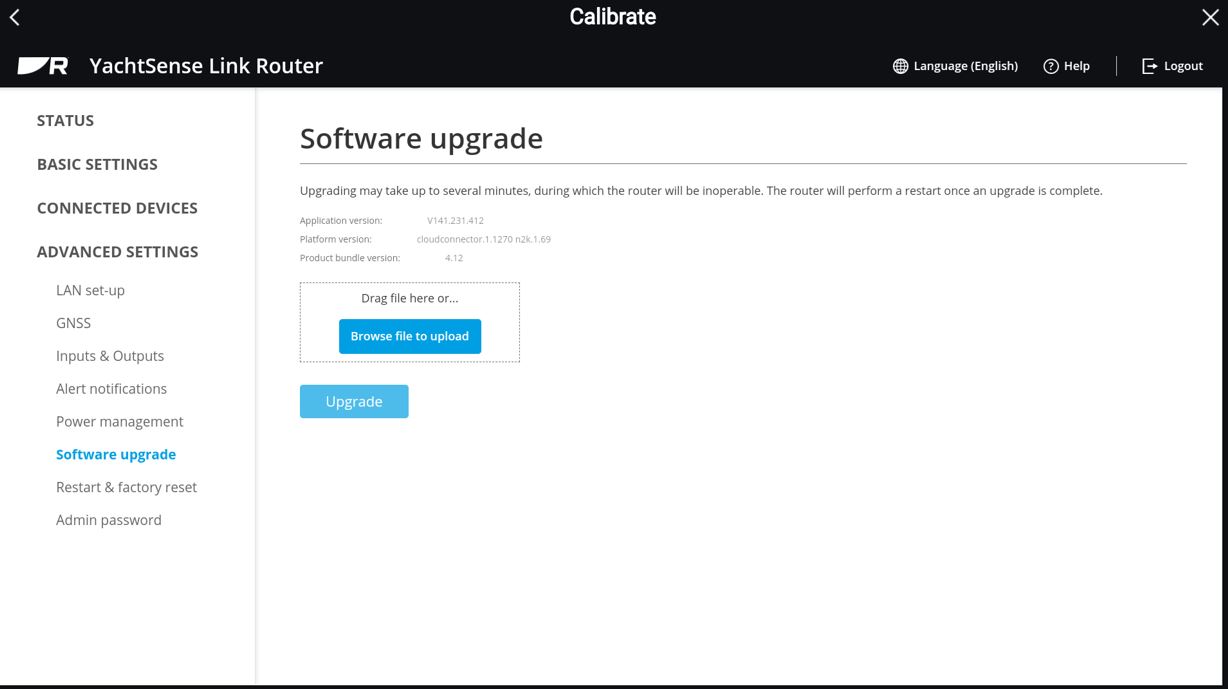
  6. Go to: Advanced Settings > Software Upgrade > Enter the administrator password.

    Software upgrade menu
  7. Click on Browse file to upload and select the file from the MicroSD card.

    Browse file
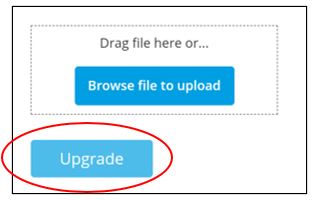
  8. Once the file is uploaded, click on Upgrade to start the upgrade.

    Start upgrade
  9. After the upgrade, power cycle YachtSense Link and the entire navigation system to ensure proper communication via RayNet.
  10. Test the system to confirm that everything is working as expected.

Watch our upgrade video: