
 Svenska
 Dansk
Dansk
 Suomi
Suomi
 Español
 Deutsch
 Français
 Italiano
 Nederlands
 Polskie
 Norsk
Norsk
Cart
Your cart is empty, but doesn't have to be..
Discount: 0.00 EUR
Digital Skipper |26/01, 2022
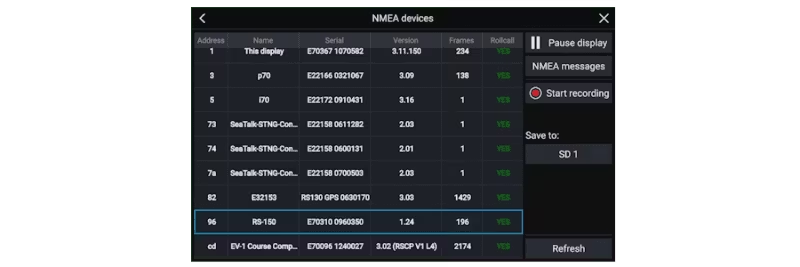
There are several situations where it is important to be able to record NMEA2000 data or SeaTalkng data from your Raymarine LightHouse 3 Multifunction Display (MFD). This is particularly useful when troubleshooting network issues, interfaces between Raymarine and other products, or when analyzing autopilot performance.
Raymarine LightHouse 3 MFDs can easily record NMEA2000 traffic directly to a MicroSD card. The recording provides valuable information that Raymarine's technical support
Follow these steps to start recording NMEA2000 data:
After recording, the log files are saved to the SD card. These can be sent to Raymarine for analysis if needed.