Svenska
 Dansk
Dansk
 Suomi
Suomi
 Español
 Deutsch
 Français
 Italiano
 Nederlands
 Polskie
 Norsk
Norsk
Cart
Your cart is empty, but doesn't have to be..
Discount: 0.00 EUR

MARETRON N2KView, is a complete control and management software for NMEA 2000. With N2KVIEW for control on the boat and remote.
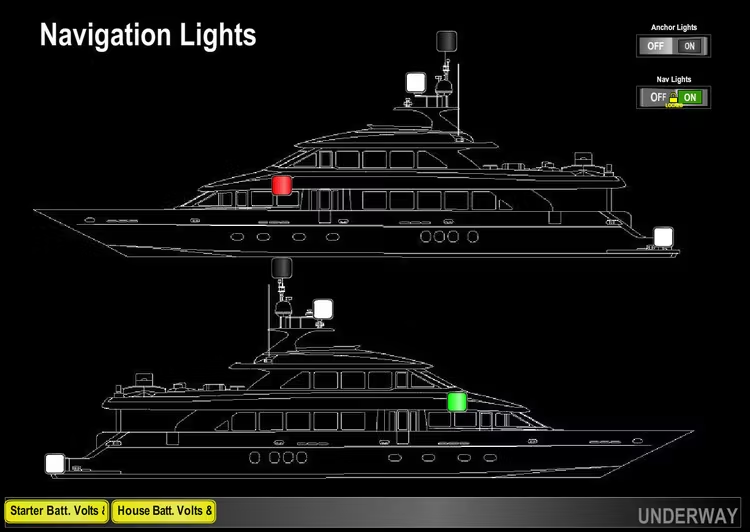
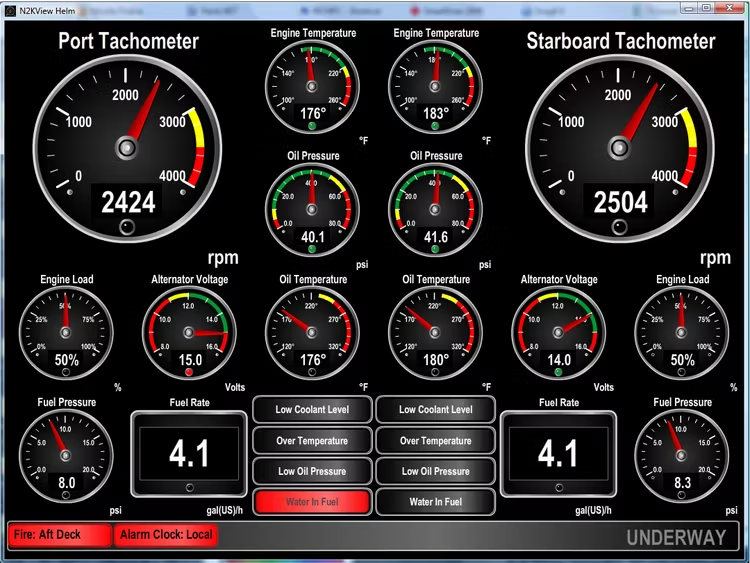
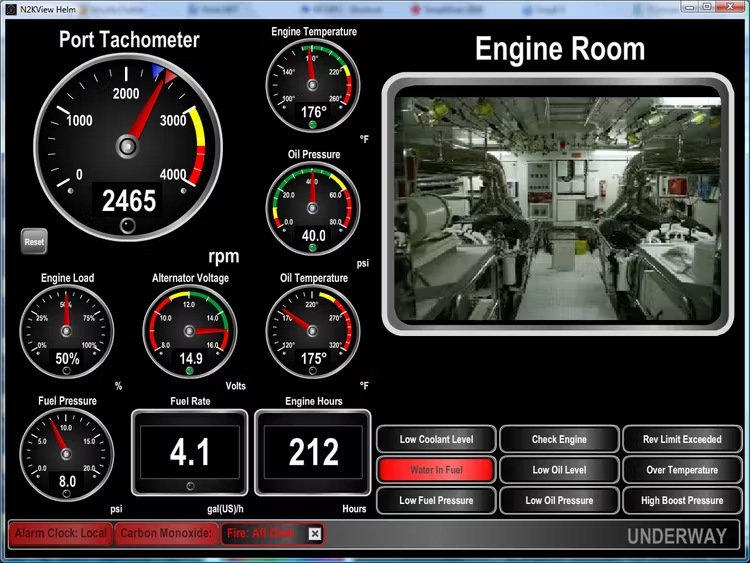
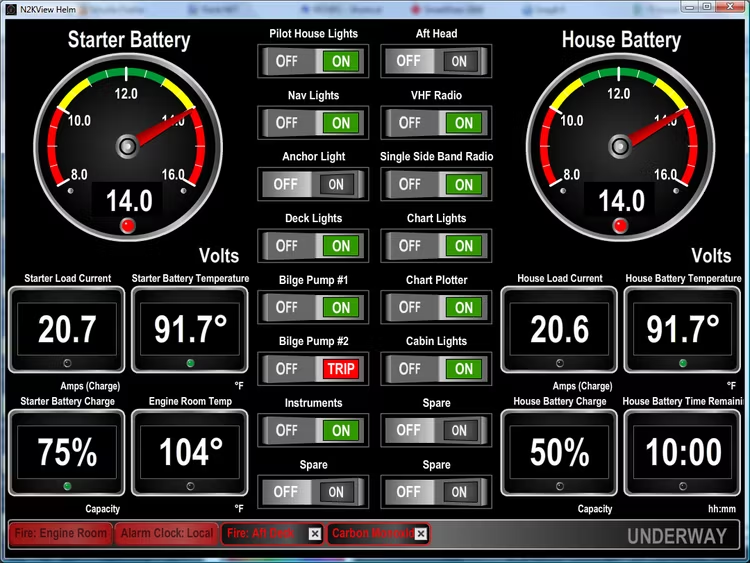
MARETRON N2KView, is a complete control and monitoring software for NMEA 2000. With N2KView it is possible to view and control all the information you need, such as engine data, generators, tanks, rudder, navigation data, weather and much, much more, either on board or remotely. N2KView can be fully configured and you can create pages that exactly match your needs. You can easily switch to any page to monitor all your onboard systems. Data can be displayed digitally, analogously, as graphs, bars or as indicators with different colors. You decide how you want it to look. Of course, you can set limits and color indications for all analog gauges so you know that everything is as it should be.
N2KView is an advanced system and it can do much more than just display data. With N2KView you can set alarms on all data to avoid problems in time. You can set any number of alarms (red) or warnings (yellow) on all data in the NMEA 2000 network with the exception of AIS. Whether it's engine data, fire, an open hatch, water in the bilge or low fuel level, you can easily keep control. Supplement with an IP camera (Axis) to see what it looks like in, for example, the engine room or on the aft deck. You can also control electrical consumers and know if they are working as they should. For example, turn on pumps or navigation lights and visually see on the screen that they are working or if the fuse has blown. The advanced fuel control system can retrieve data from the engine system and show how much you consume, how far you can go on the fuel on board and what fuel economy you get.
N2KView can be used on a computer (mac or pc). The program is also integrated in Maretron's black-box pc and panel pc. To receive data from the NMEA 2000 network to your computer, either an IPG100 or a USB100 is required.
When you purchase N2KView, a license key is delivered. It is needed to run N2KView and is placed either in an IPG100 or in your computer's USB port. If placed in a computer, the N2KServer program must be installed and running. The program is downloaded from Maretron's website. Without a license, N2KView can be run in demo mode.
Features
Good product-related links: