
 Svenska
 Dansk
Dansk
 Suomi
Suomi
 Español
 Deutsch
 Français
 Italiano
 Nederlands
 Polskie
 Norsk
Norsk
Cart
Your cart is empty, but doesn't have to be..
Discount: 0.00 EUR
Digital Skipper |23/02, 2026
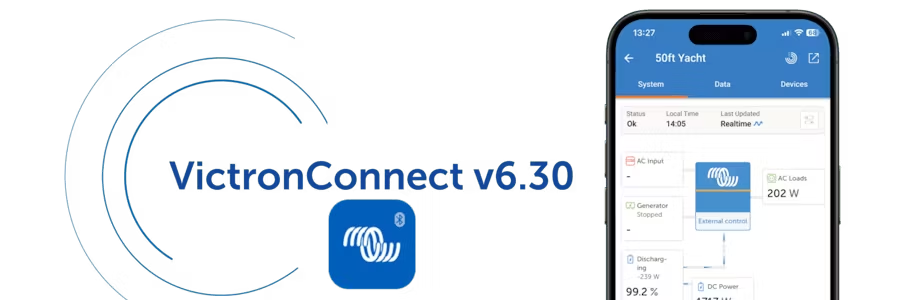
The latest version of VictronConnect, v6.30 , introduces several new features that make monitoring and managing Victron systems easier and faster. The update includes improved VRM integration, more system insight tools, clearer information during firmware updates, and a new batch programming feature – particularly appreciated by professional installers.
Here we go over what's new in VictronConnect v6.30.
VictronConnect has long been the go-to app for connecting to products locally via Bluetooth, configuring devices, updating firmware and monitoring operational data in real time. The VRM Portal has also been the go-to tool for complete remote system monitoring – wherever you are.
With VictronConnect v6.30, the two worlds come closer together.
You now have direct access to the VRM dashboard in VictronConnect, without being redirected to the VRM portal. This means you can view status, control, cost data and schedules from Dynamic ESS – all from the same app. It simply makes it easier to understand how the whole system is doing, whether you are standing next to it or remotely.
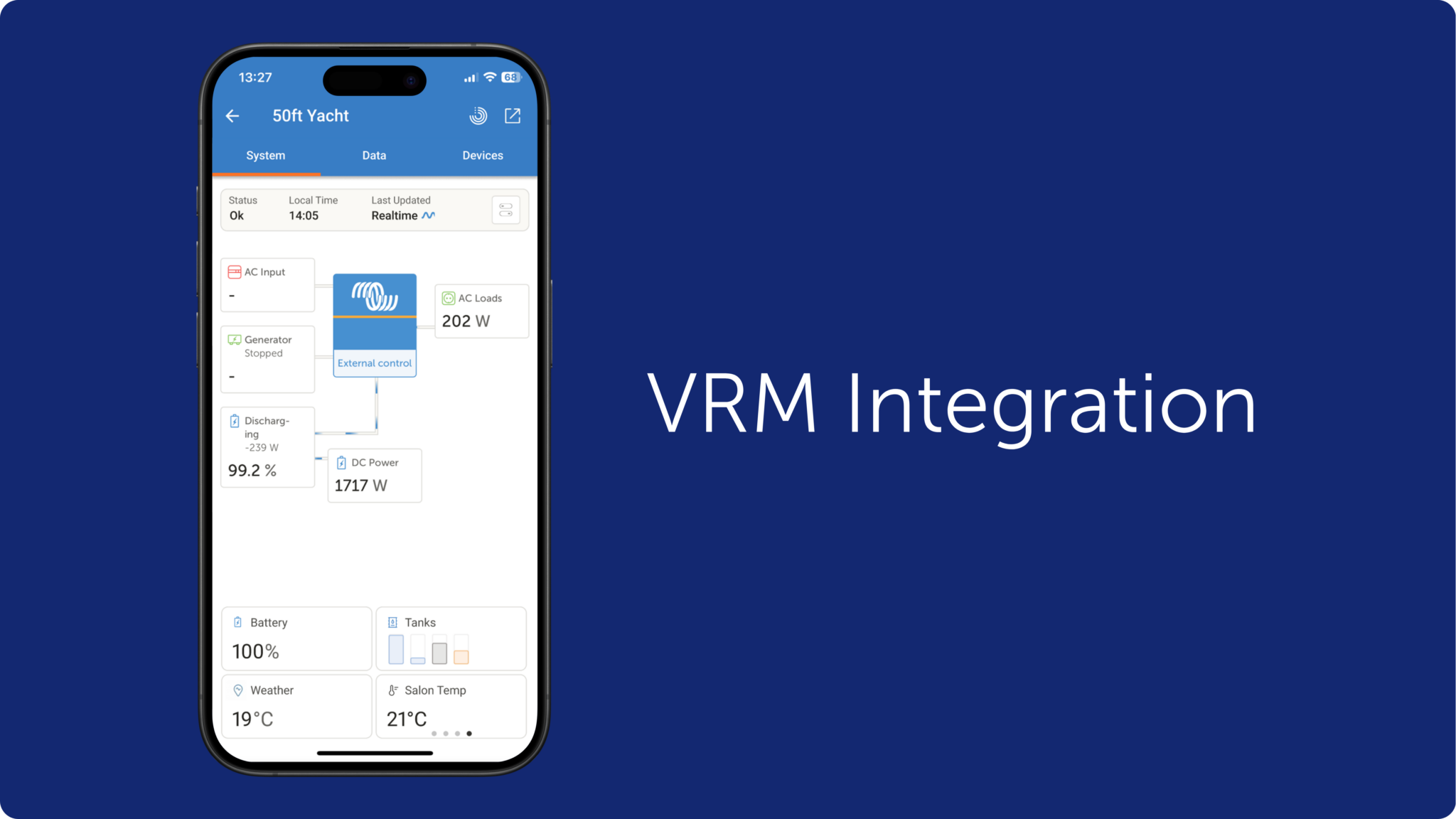
If you have a vehicle that supports Android Auto, you can now see important system information directly on your car's screen.
As soon as the phone is connected, a VictronConnect icon will appear in Android Auto. The feature is based on Bluetooth Instant Readout , does not require a GX device and does not require any additional configuration. If a product can be displayed in Instant Readout, it will also be displayed in the car.
This is especially useful for RVs, service vehicles, and other mobile environments where quick system status is valuable – and where safety requires not fiddling with your phone.
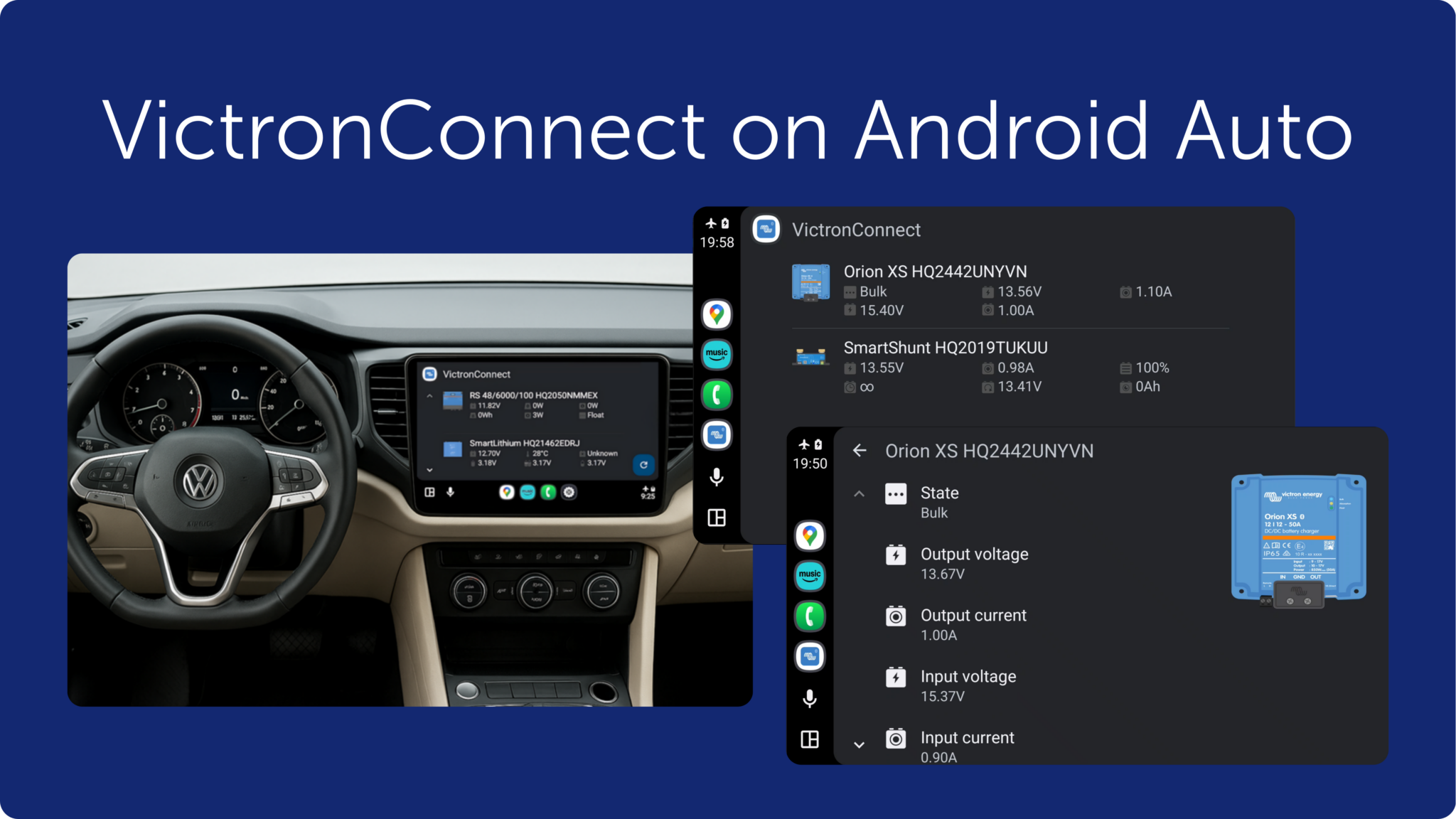
Android users now have the ability to add widgets to their home screen to see important information directly, without opening the app.
You can also enable notifications , so your phone alerts you if something requires attention. This is also based on Bluetooth Instant Readout, making the feature fast and available as long as you are within range of the product.
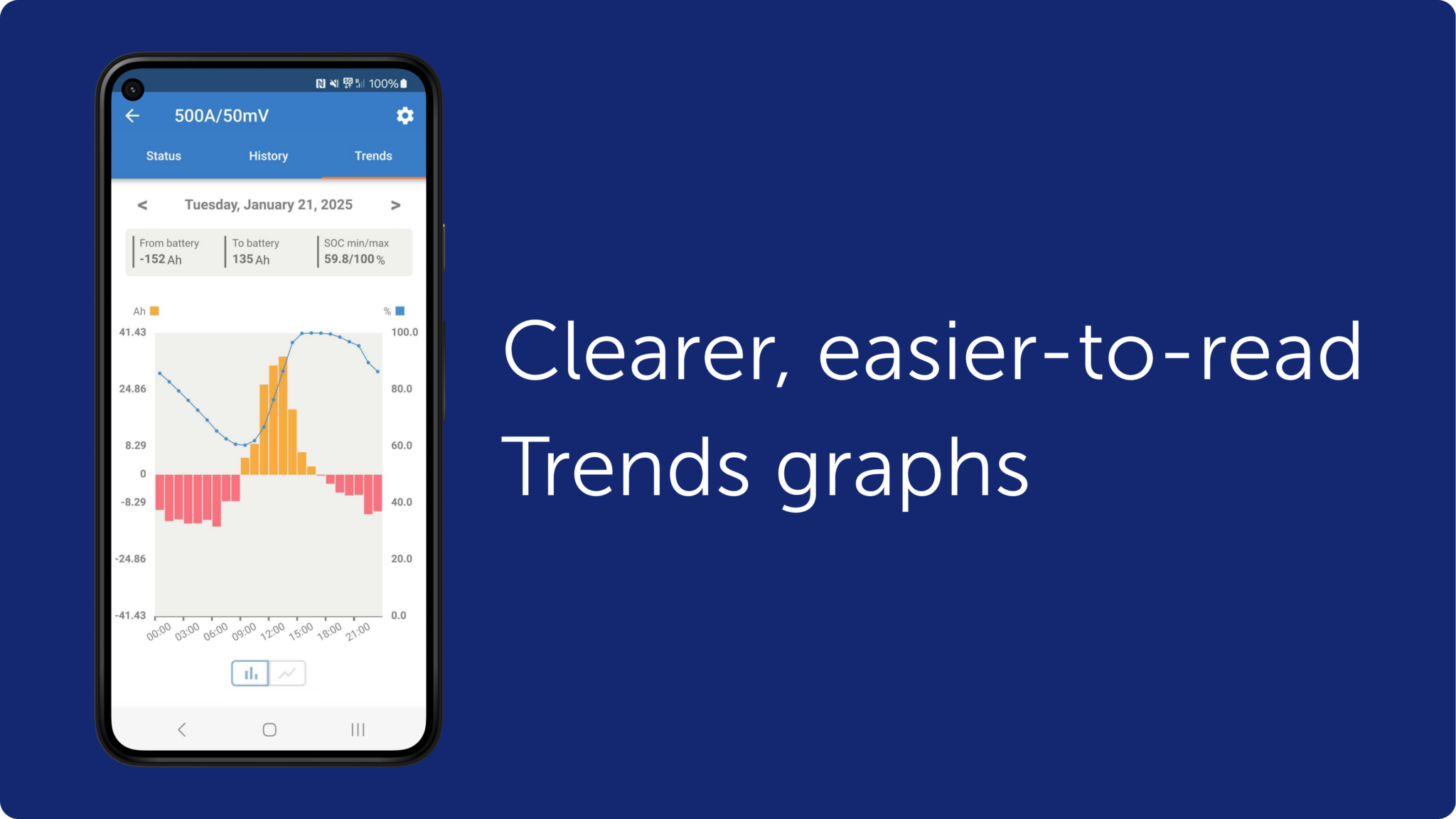
The Trends feature has been given a major boost. The graphs are now easier to read, more detailed, and provide a better overview of:
Additionally, Trends data is included when you export settings files, making it easier to troubleshoot and document. This feature is available on products that support stored Trends.
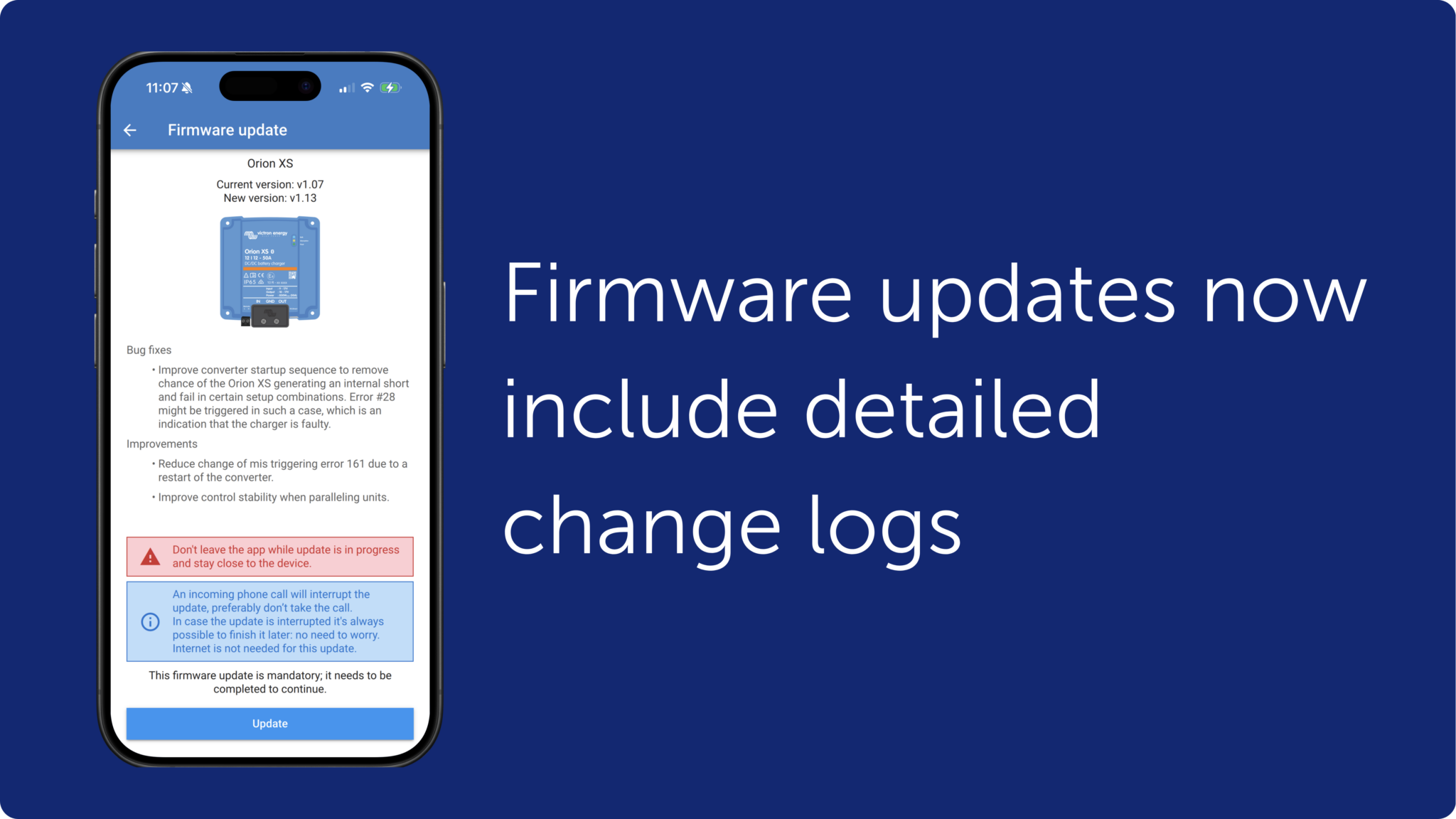
Firmware updates are now easier and more transparent. The app now displays release notes directly in the update window , so you can read what's new before and during the update.
Additionally, the internal firmware library is automatically updated when the internet is available – ensuring you always have the latest versions ready even between app updates. As before, you can update the firmware even when you are offline.
One of the biggest news for installers is Batch Programming .
You can now:
This makes installations and updates faster, more consistent, and significantly more efficient.
VictronConnect v6.30 makes it easier than ever to keep track of your Victron system – whether you’re working close to the hardware, driving down the road, or remotely monitoring multiple systems.
Combining VRM functionality with new useful tools in the app creates a more cohesive and powerful user experience. The result: smoother operations, better control, and more efficient support.