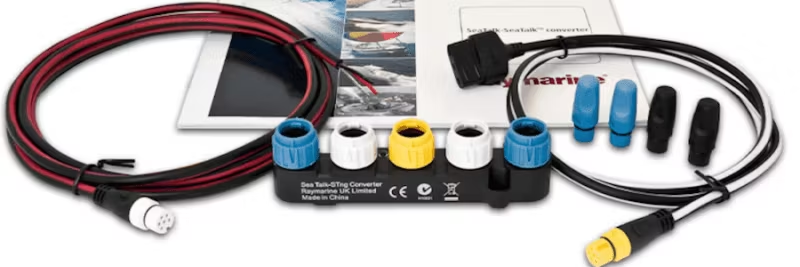
Step-by-step instructions for integrating ST1000/2000 autopilot with SeaTalk ng via SeaTalk 1 converter, including wiring diagrams and tips.
How to connect an ST1000/2000 autopilot to a SeaTalk ng network via the SeaTalk 1 to SeaTalk ng converter? Here is a detailed step-by-step guide with wiring diagrams for both standalone and existing SeaTalk ng systems.
Step-by-step: Connecting ST1000/2000 via SeaTalk converter
- Prepare the converter: The SeaTalk 1 to SeaTalk ng converter allows older SeaTalk 1 devices to communicate with the newer SeaTalk ng network. Ensure you have the converter and the correct cables.
- Connect the autopilot: Connect the ST1000/2000 to the SeaTalk 1 port on the converter with a compatible SeaTalk 1 cable.
- Connect to the SeaTalk ng backbone: Use a SeaTalk ng cable to connect the converter's SeaTalk ng port to the network's backbone.
- Check the connections: Ensure all cables are correctly connected and that the converter is receiving power. Confirm that the autopilot is integrated into the network.
- Configure the devices: Adjust settings on the ST1000/2000 and other SeaTalk ng devices for proper communication.
By following these steps, you can easily integrate your ST1000/2000 autopilot with the SeaTalk ng system.
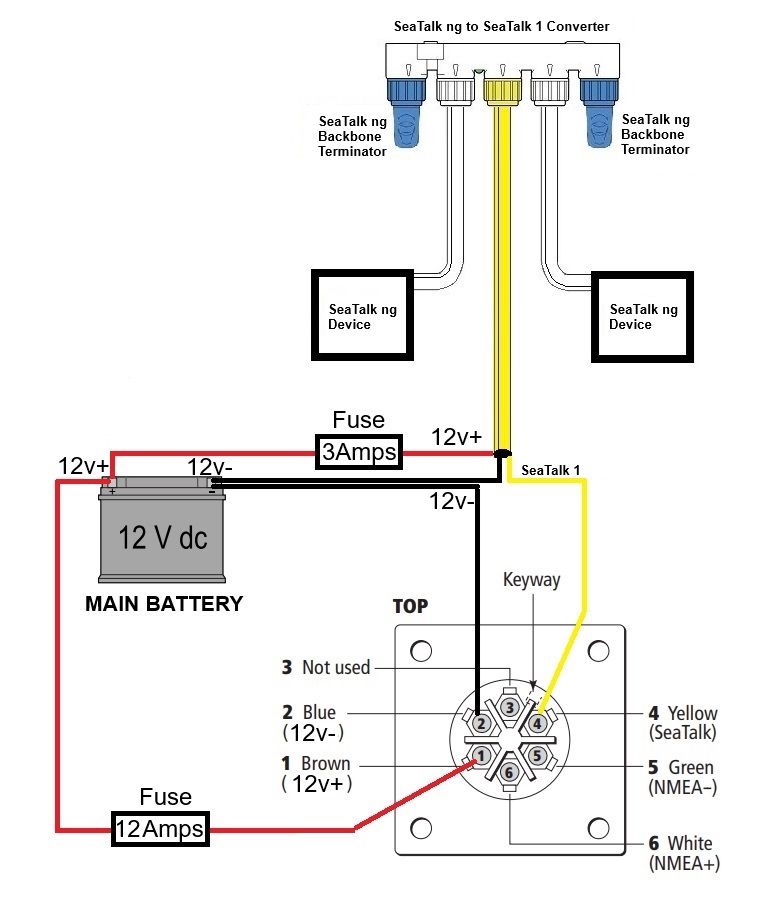
Wiring Diagram 1 – Standalone SeaTalk ng system
NOTE: If you already have a powered SeaTalk ng network, see Wiring Diagram 2.
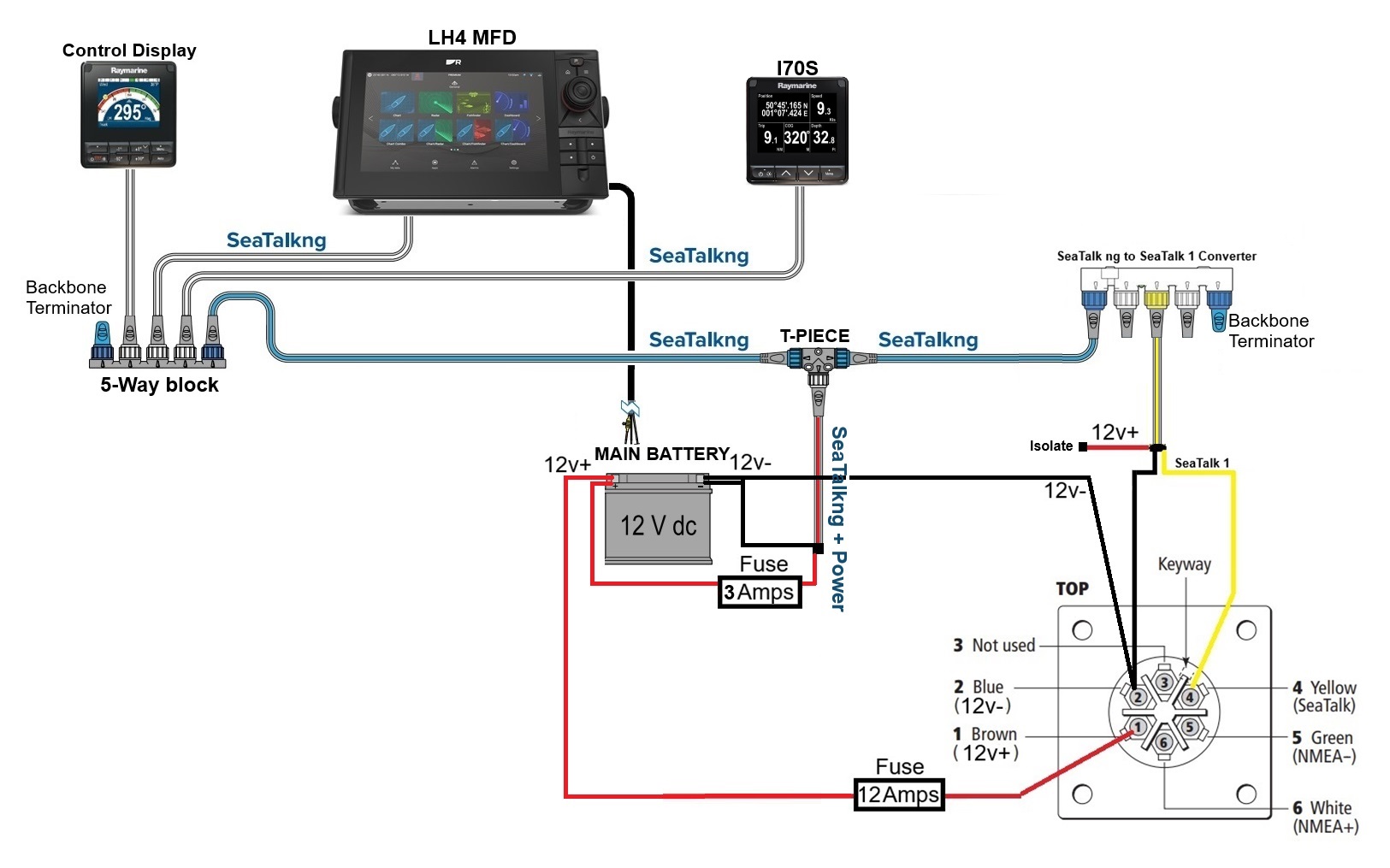
Wiring Diagram 2 – Existing powered SeaTalk ng system
NOTE: If the network is already powered, disconnect and isolate the red wire from the yellow SeaTalk ng adapter cable.
Tips for best results
- Always use original cables and connectors to avoid communication problems.
- Ensure the network has proper termination and power supply.
- After installation, test the autopilot's function in various scenarios to ensure stable communication.

 Svenska
 Dansk
Dansk
 Suomi
Suomi
 Español
 Deutsch
 Français
 Italiano
 Nederlands
 Polskie
 Norsk
Norsk