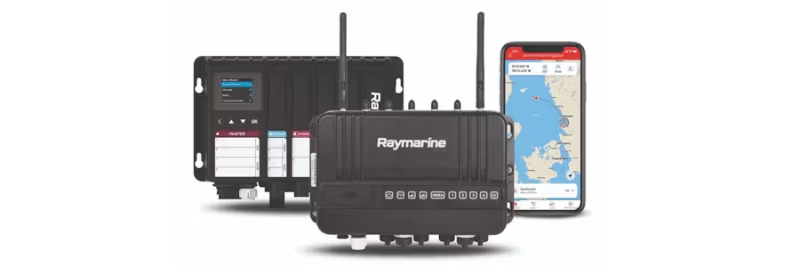
Explore all features of Raymarine YachtSense Link – Complete video guides for installation and configuration.
Discover how to get the most out of your Raymarine YachtSense Link router with our comprehensive instructional videos. From understanding what's included in the box to configuring mobile networks and using the Raymarine App – these guides cover everything you need to optimize your experience. Whether you're a beginner or an experienced user, our step-by-step videos will help you navigate through installation, settings, and advanced features.
What's included in the YachtSense Link package?
- Overview of router connections
- Label and QR code for quick access
- Connections for antennas
- SIM card slots (more info in the next video)
- Cables and antennas
Video: YachtSense Link – What's in the box?
Understanding the configuration page
- Walkthrough of the YachtSense Link configuration and calibration page
Connect the Raymarine App
- How to link your YachtSense Link router to your Raymarine App account
Basic features of the Raymarine App
- App's basic functions without subscription
- Screen mirroring with AXIOM
- View vessel data and data boxes
Premium features of the Raymarine App
- Geofence zones
- Digital Switching control when off boat
- Remote monitoring of vessel data
SIM card installation and setup
Mobile network configuration
- Settings for mobile data and roaming
- Set data limits on SIM cards
- Switch between SIM cards
Digital inputs/outputs
- I/O examples
- External relays for switching
- Control via AXIOM or the Raymarine App
Deregister a YachtSense Link router
- Remove the router from your account via the Raymarine App
- Important for sale, exchange, or transfer of ownership

 Svenska
 Dansk
Dansk
 Suomi
Suomi
 Español
 Deutsch
 Français
 Italiano
 Nederlands
 Polskie
 Norsk
Norsk