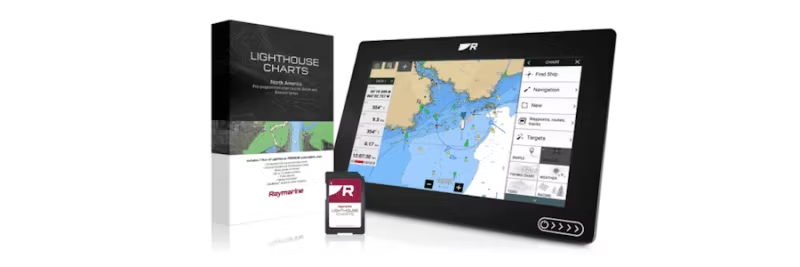
Learn all about LightHouse charts: compatibility with Axiom and Element, registration, download, and Premium features for safe navigation.
Raymarine LightHouse charts are the next generation of electronic charts for the Axiom and Element series. They offer detailed chart information, color-shaded depth contours, points of interest (POI), streets, and aerial photos for safe and secure navigation. To get the most out of your chart, you need to know how to register, download, and update it. Here is the updated guide based on Raymarine Chart Manager.
What are Raymarine LightHouse charts?
LightHouse charts are compatible with Raymarine Axiom, Axiom+, Axiom Pro, Axiom XL, and Element. They provide you with:
- Customizable chart objects and text (Axiom).
- Display modes for bright sunlight, dusk, and night.
- Aerial photos of land and water.
- Streets and POIs such as restaurants, pharmacies, and shops.
- Government standard as chart selection.
Preparations before downloading
To manage your LightHouse chart, you need:
- A computer with internet access.
- Raymarine Chart Manager installed (download here).
- An SD card and card reader.
- Your chart's product code (found in the packaging).
Step-by-step: Register and download charts
- Download and install Chart Manager: Go to chartmanager.raymarine.com and install the program.
- Create or log in to your Raymarine account: This is required for registration and updates.
- Connect your SD card: Insert the card into the computer's card reader.
- Register your chart: Enter the product code from the packaging in Chart Manager.
- Download chart data: Select the desired area and follow the instructions for downloading.
- Reinsert the SD card into your Axiom or Element unit.
Premium features and updates
When you register your chart, you get one year of Premium account which includes:
- Free updates.
- POI (points of interest), streets, and aerial photos.
- Upcoming features such as autorouting (Premium).
System requirements
- Axiom series: LightHouse v3.14 or later.
- Element series: LightHouse Sport v3.13 or later.
Summary
With Raymarine Chart Manager, it's easy to register, update, and customize your LightHouse charts. By following the steps above, you get access to the latest chart information and Premium features that make your navigation safer and more efficient.

 Svenska
 Dansk
Dansk
 Suomi
Suomi
 Español
 Deutsch
 Français
 Italiano
 Nederlands
 Polskie
 Norsk
Norsk