Step-by-step guide to checking voltage, cabling, and connections for ACU, STng, and Drive-by-Wire systems.
The error message "No Drive Detected" on your autopilot display can be due to several reasons. Here are the most important checks you should perform:
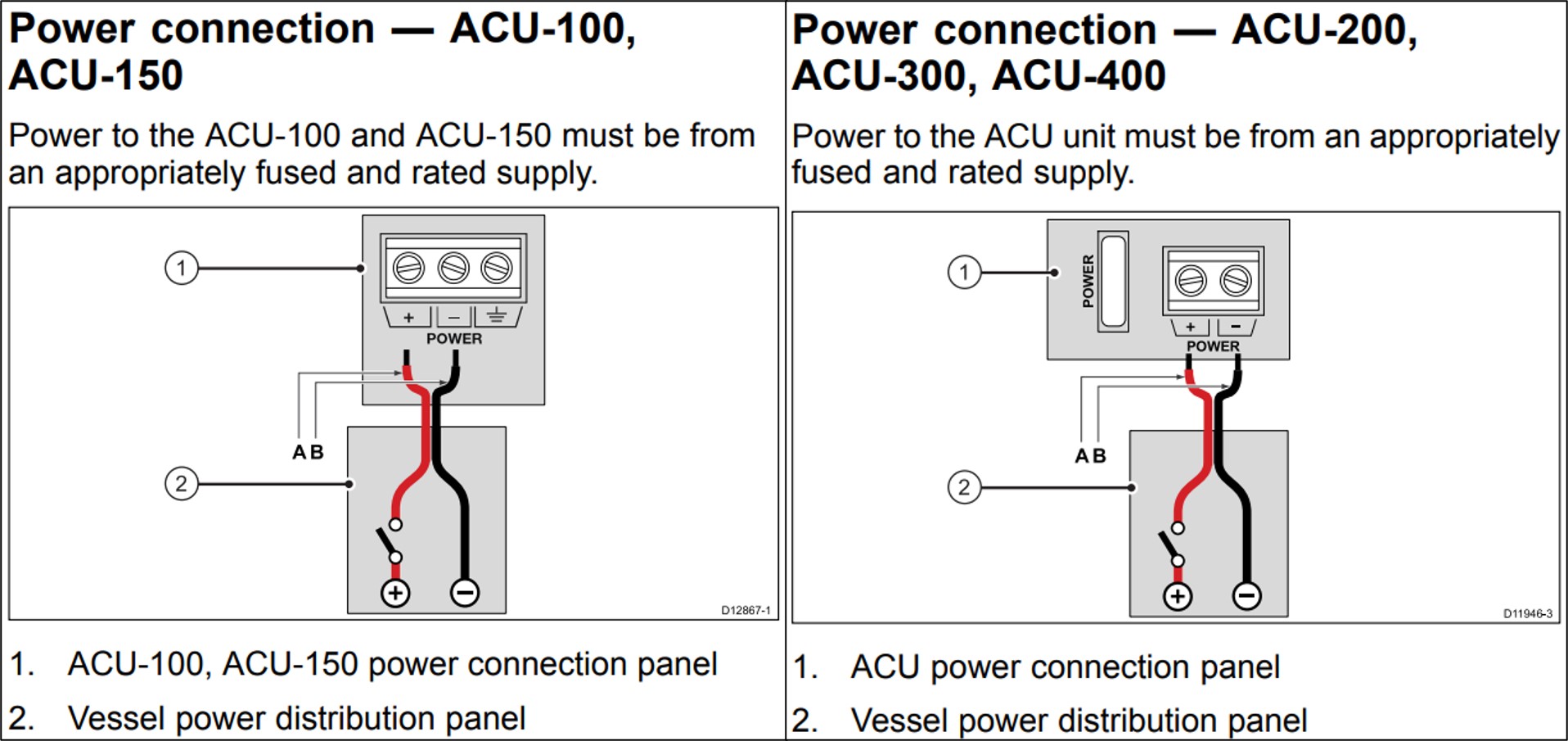
- Check the voltage to the ACU: Ensure the voltage is correct while the ACU is powered on and driving the unit. If the voltage drops to 11V or lower, the ACU may reset and display this error. If the ACU lacks main power, the message will also be displayed.
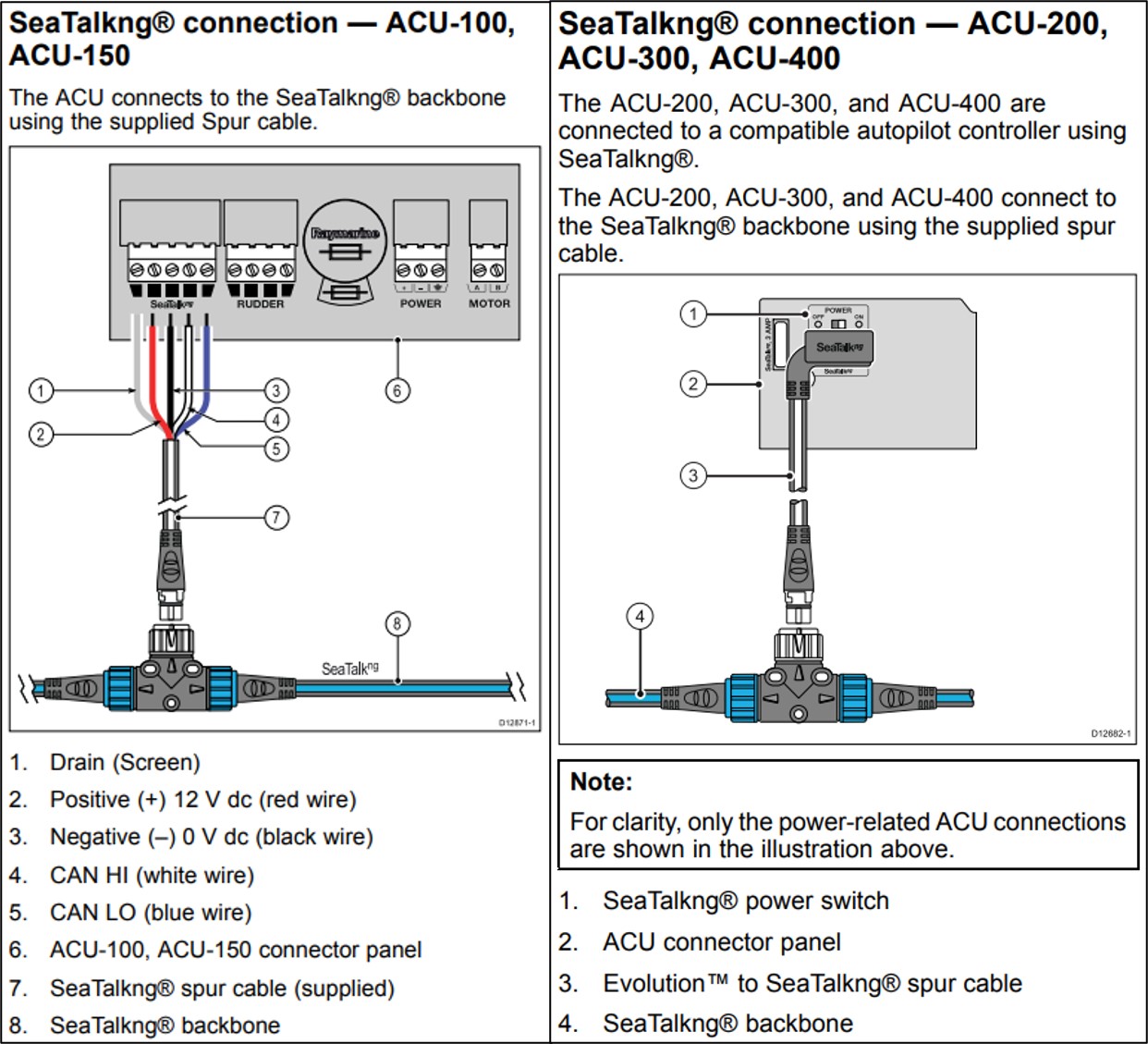
- Check STng cables: Review the cables between the ACU and the STng system, as well as the EV-1. If communication between the EV-1 and ACU is interrupted, the alarm will be triggered.
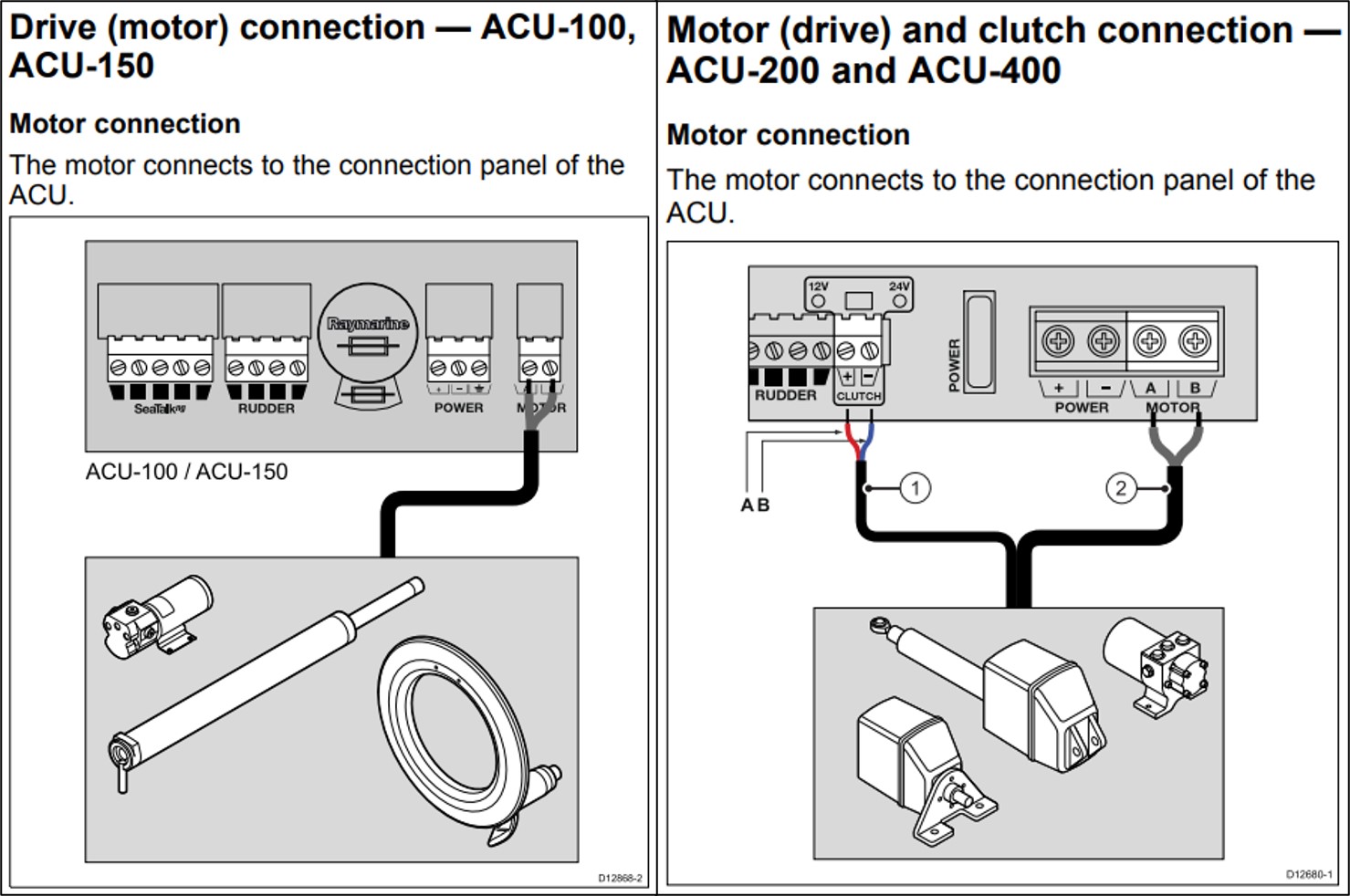
- Check drive motor connections: If the ACU does not detect the back EMF from the motor, the error message will be displayed. Check the cables from the drive motor to the ACU.
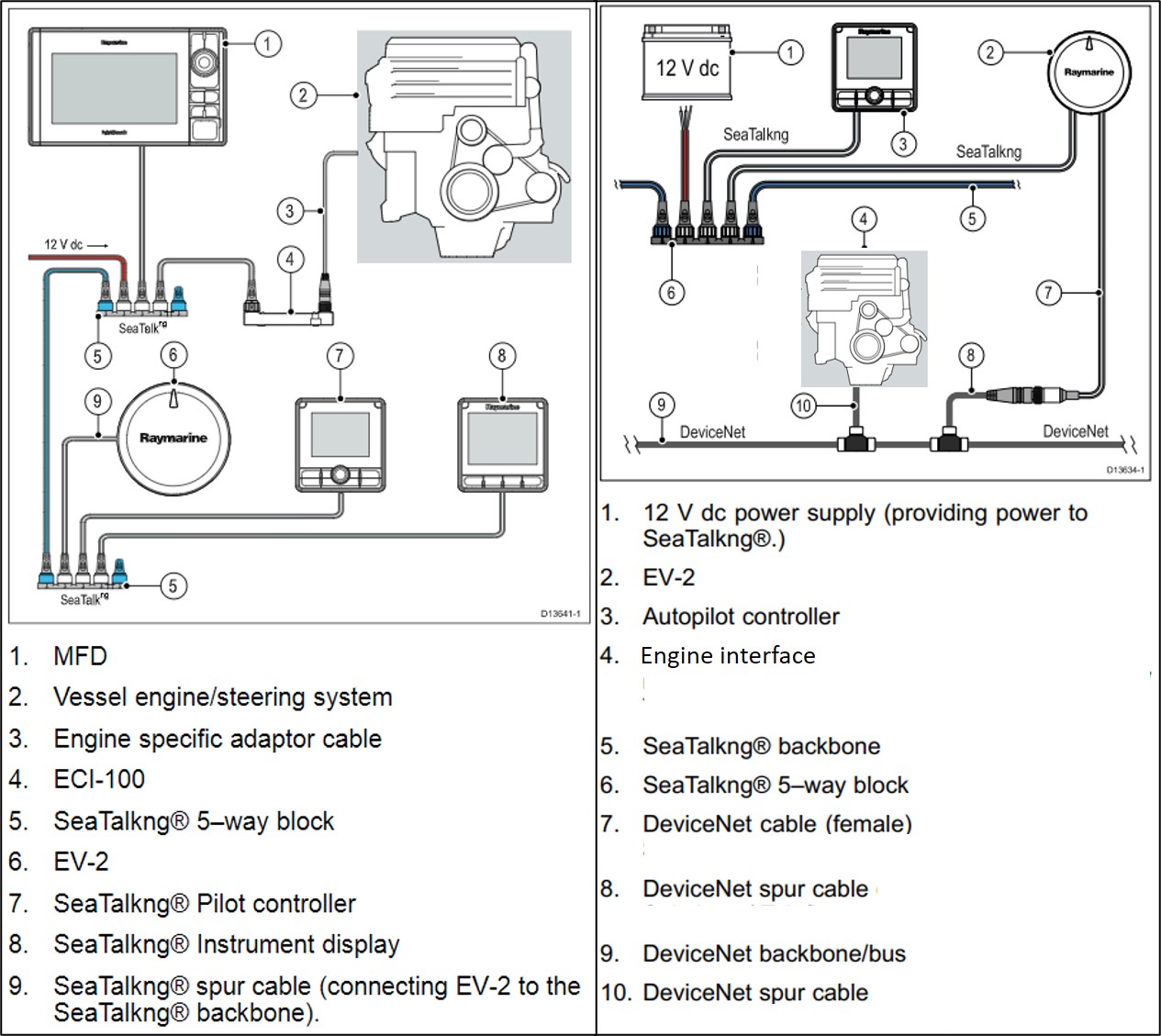
- Drive by Wire system: If you are using DBW, the problem may lie in the interface between the EV-2 (or ECI-100) and the engine interface. Carefully check the bus connections.
Troubleshooting tips:
- Ensure all cables are properly connected and free from corrosion.
- Check that the system has correct power supply under load.
- For DBW systems, verify that the interface is updated and correctly configured.
By following these steps, you can quickly identify the cause of the error message and restore your autopilot to full functionality.

 Svenska
 Dansk
Dansk
 Suomi
Suomi
 Español
 Deutsch
 Français
 Italiano
 Nederlands
 Polskie
 Norsk
Norsk