
 Svenska
 Dansk
 Suomi
 Español
 Deutsch
 Français
 Italiano
 Nederlands
 Polskie
 Norsk
Cart
Your cart is empty, but doesn't have to be..
Discount: 0.00 EUR
Digital Skipper |11/05, 2020
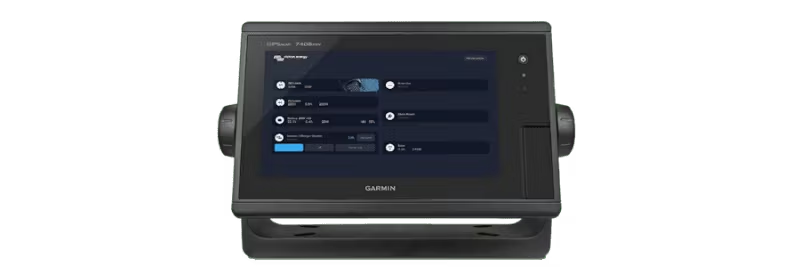
Marine MFD GX integration makes it easy to connect a multifunction display (MFD) to the heart of your electrical system – for example, Color Control GX or MultiPlus-II GX. Once connected, you can monitor and control the boat's electrical system directly on your Glass Bridge. Discover more possibilities with our marine energy solutions.
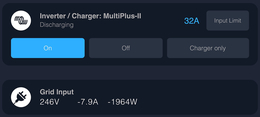
Monitor AC/DC loads, shore power, and generator status, or check the batteries at a glance. Easily adjust the shore power limit, turn the inverter on/off, or set the charging mode when the boat is moored alongside. Open Victron Remote Console for full control over the entire system – all via an intuitive and stylish interface.
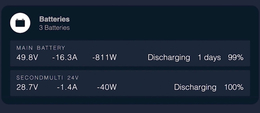
Our chargers take care of your onboard batteries. With the MFD, you get detailed information about all batteries: see the state of charge as a percentage for service batteries and voltage for secondary batteries used for engine start, bow thruster, winches, generators, and more. This way, you avoid unpleasant surprises.
Victron Energy is now available on Garmin's multifunction displays (MFDs). Installation is as easy as 1-2-3: connect a network cable between the MFD and a GX device – done! Tap the Victron icon and enjoy easy control on board. Plug-and-play, no configuration or subscription required.
With a GX device from Victron Energy, you always have full control over the boat's electrical system, wherever you are. Use VictronConnect or the VRM portal to see real-time status, optimise settings, and manage alarms. You can solve problems yourself or get help from an authorised Victron partner. We do everything to keep you going – so you can continue doing what you love.