
 Svenska
 Dansk
Dansk
 Suomi
Suomi
 Español
 Deutsch
 Français
 Italiano
 Nederlands
 Polskie
 Norsk
Norsk
Cart
Your cart is empty, but doesn't have to be..
Discount: 0.00 CZK
Matthijs Vader, Victron Energy |8/02, 2021
UPDATE February 16, 2021: Venus OS v2.63 was released today, but the changes are so minor that it does not warrant a separate post or pushing down the Wind Cargo post from the homepage. The new version adds VE.Direct-connected inverters to the list of products supported by the NMEA2000-out function, as well as some minor corrections. Details can be found in the changelog via the link at the bottom of this post.
Today is the day Venus OS v2.62 is released. For those unfamiliar: Venus OS is the software that runs on our Cerbo GX monitoring system, as well as its predecessors Color Control GX, Venus GX and others.
In addition to various minor stability improvements, there are two important new features:
Inverter RS Smart Solar and SmartSolar MPPT RS are two recently launched products that now have much better support. Both can now be connected via their VE.Can port, not just through the previous communication port. In addition, the Inverter RS is fully integrated when it comes to its battery monitoring function.
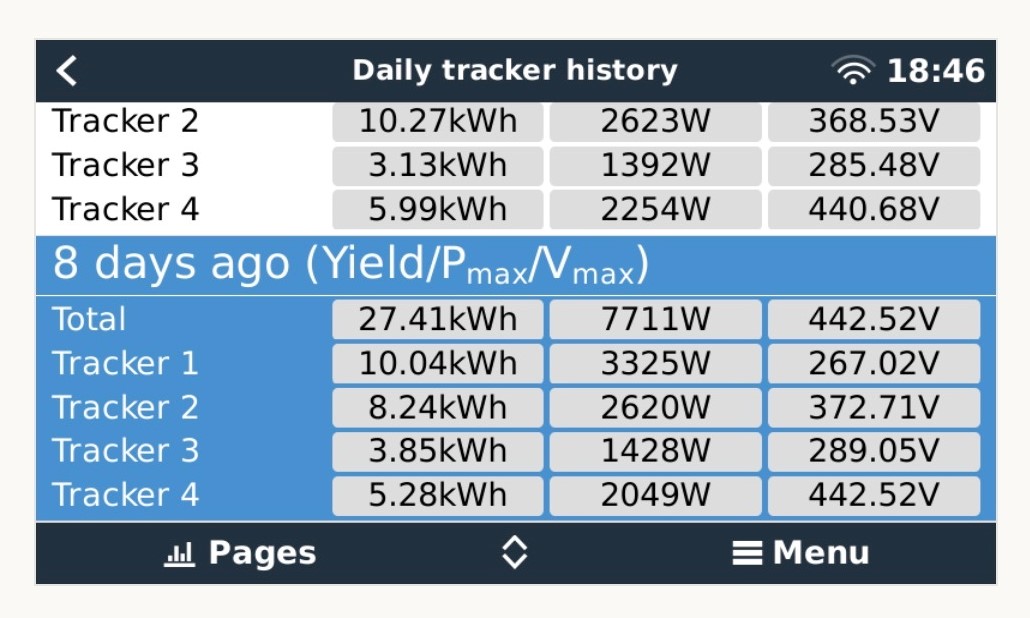
Work still remains, such as displaying all solar data for an Inverter RS on the VRM portal and viewing daily history when connected via the VE.Can port.
Here are two screenshots showing the history for each tracker. Note that these were taken on an MPPT RS 200A with four trackers. This 200A model is not yet available for purchase but is planned for later this year.
This function is aimed at installers and operators of larger systems. If an inverter/charger in a parallel, split, or three-phase system needs to be replaced, this can now be done remotely. The steps are:
Note that before you start, you must update the new unit to the same version of VE.Bus firmware, which unfortunately cannot be done remotely.
In addition to the two points above, there are many more changes, all quite small and related to specific situations or systems. To read them, log in to Victron Professional and select "Firmware".
Information on how to install firmware can be found in the manual for your GX device. Quick links to relevant pages: Cerbo GX, Color Control GX and Venus GX.