
 Svenska
 Dansk
Dansk
 Suomi
Suomi
 Español
 Deutsch
 Français
 Italiano
 Nederlands
 Polskie
 Norsk
Norsk
Cart
Your cart is empty, but doesn't have to be..
Discount: 0.00 CZK
Digital Skipper |29/01, 2025
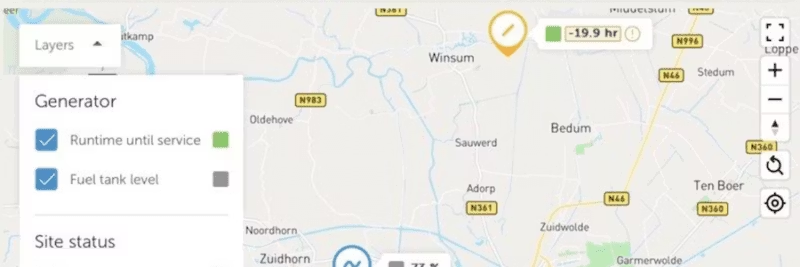
Victron Energy has introduced several improvements to the VRM portal for installers and fleet managers who manage many Victron systems. These updates build on previous features such as groups and team management and are the result of close dialogue with operators to save time and improve customer service.
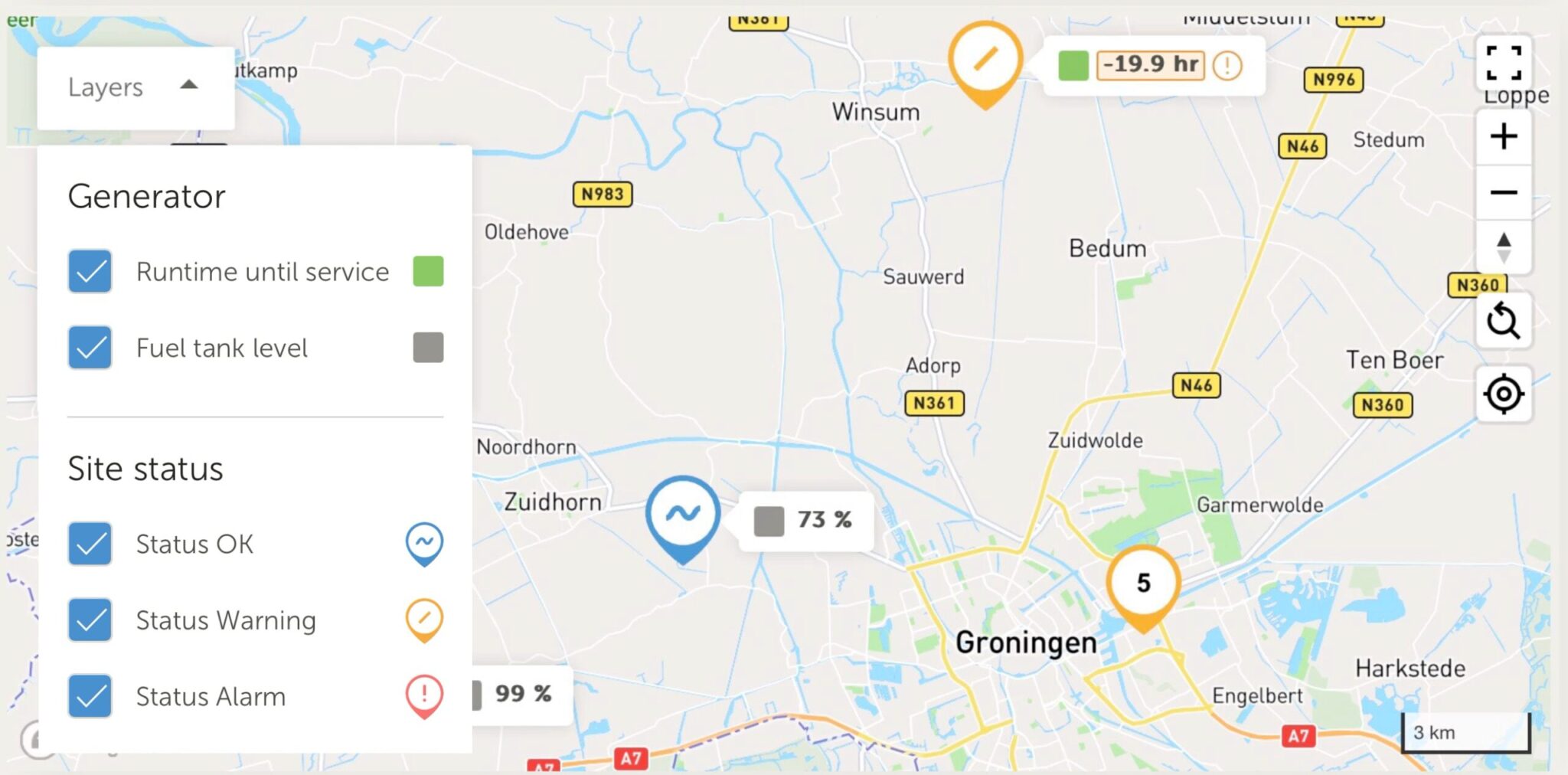
The map function has been updated to efficiently handle large numbers of systems. You can filter systems and see actionable information such as:
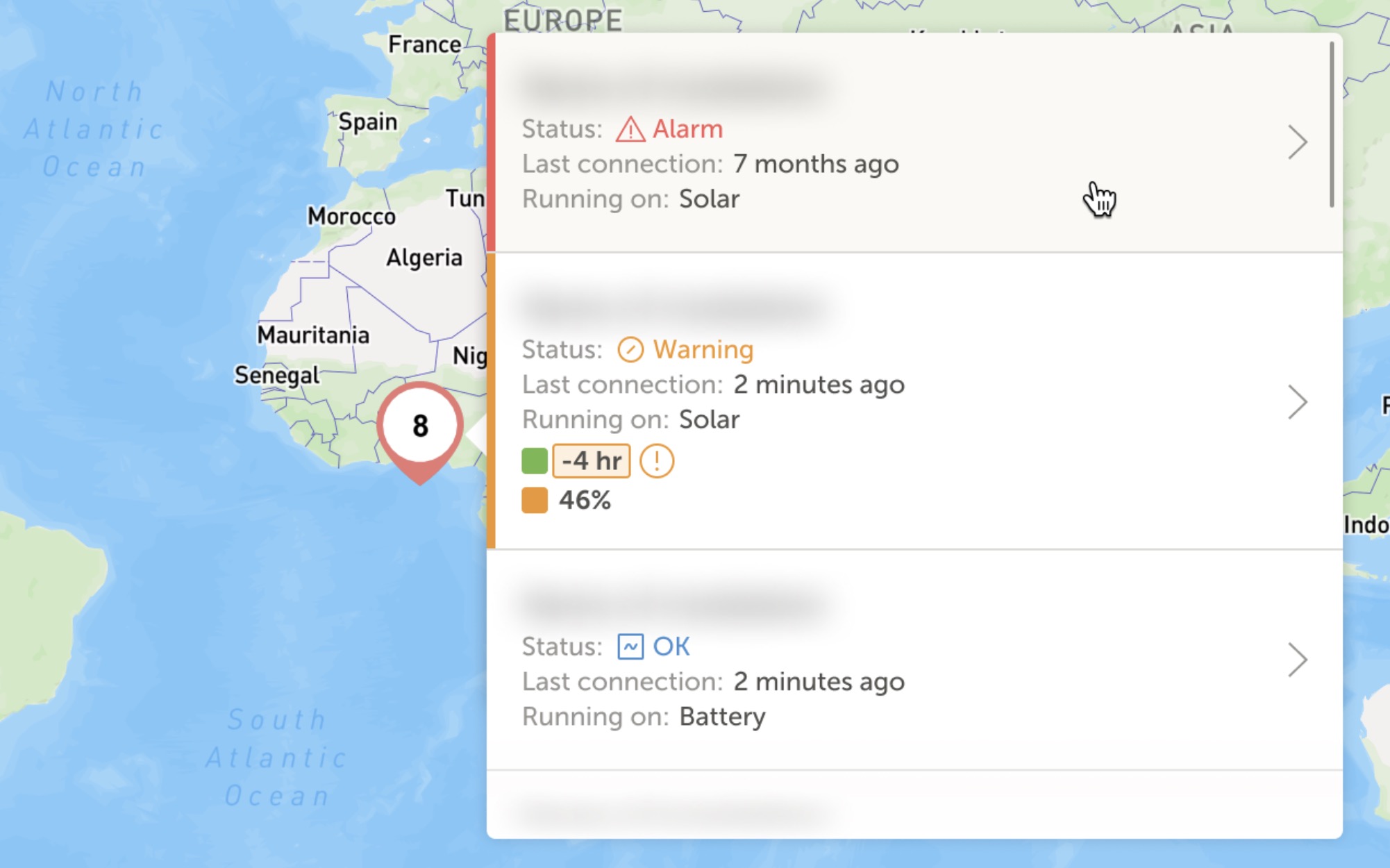
The map also functions as a filter for the installation overview and can be bookmarked for specific regions, e.g., systems with active alarms in Amsterdam.
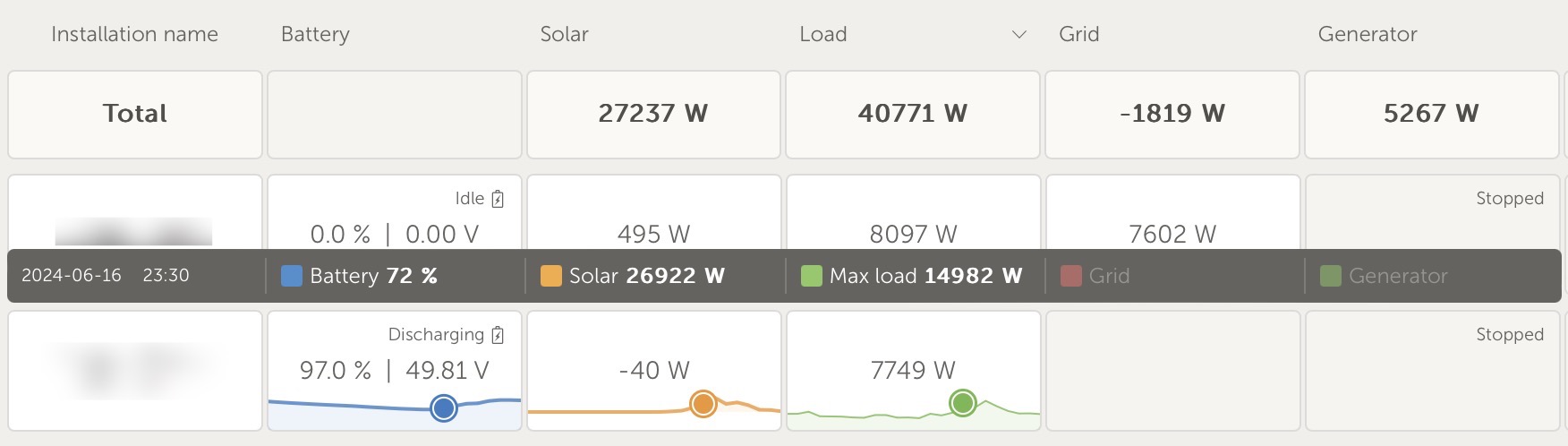
Mini-graphs provide quick insight into important metrics without opening each installation. You see:
How to activate mini-graphs: Log in to VRM, select the settings button in the installation overview, and activate detailed mode.
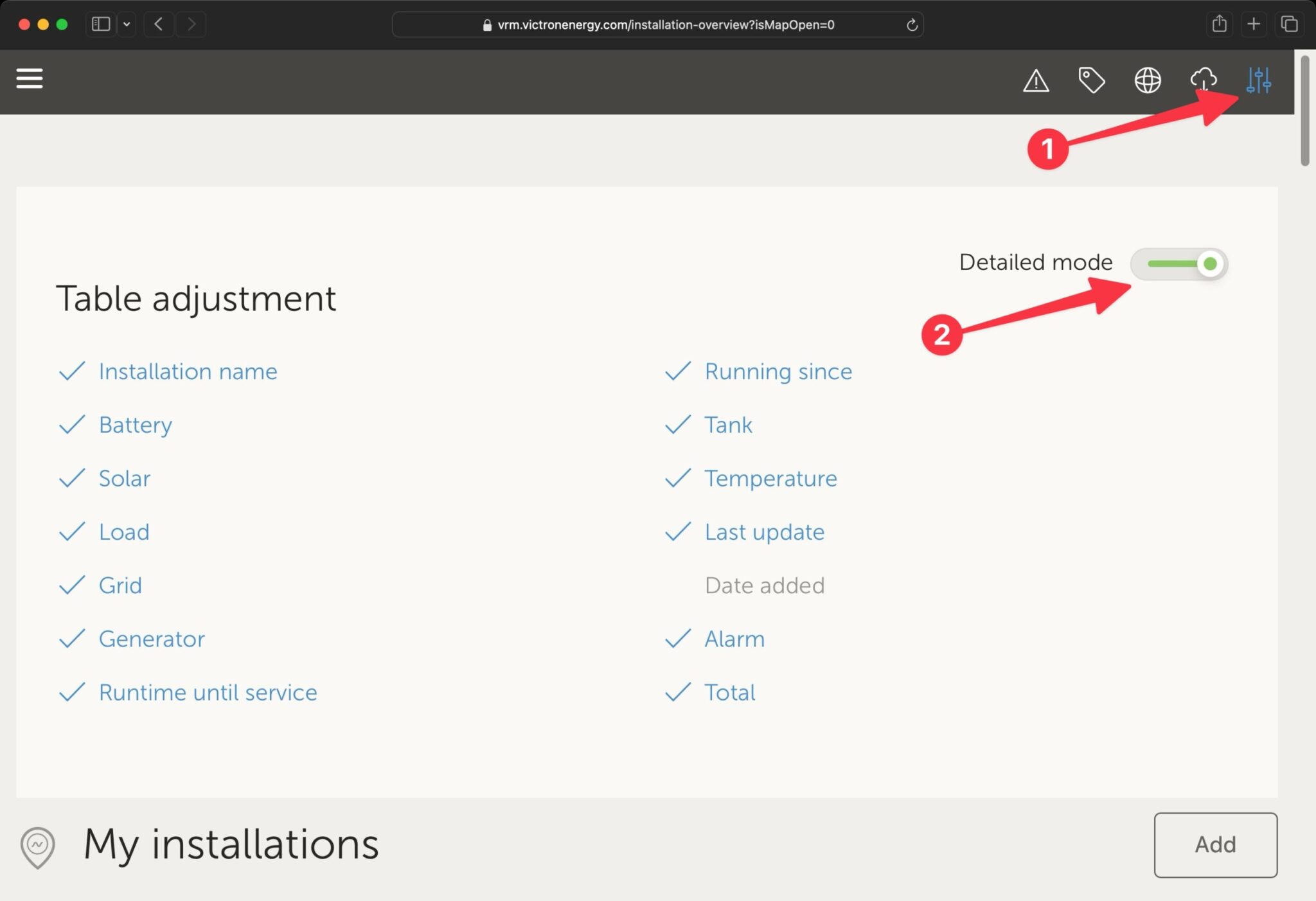
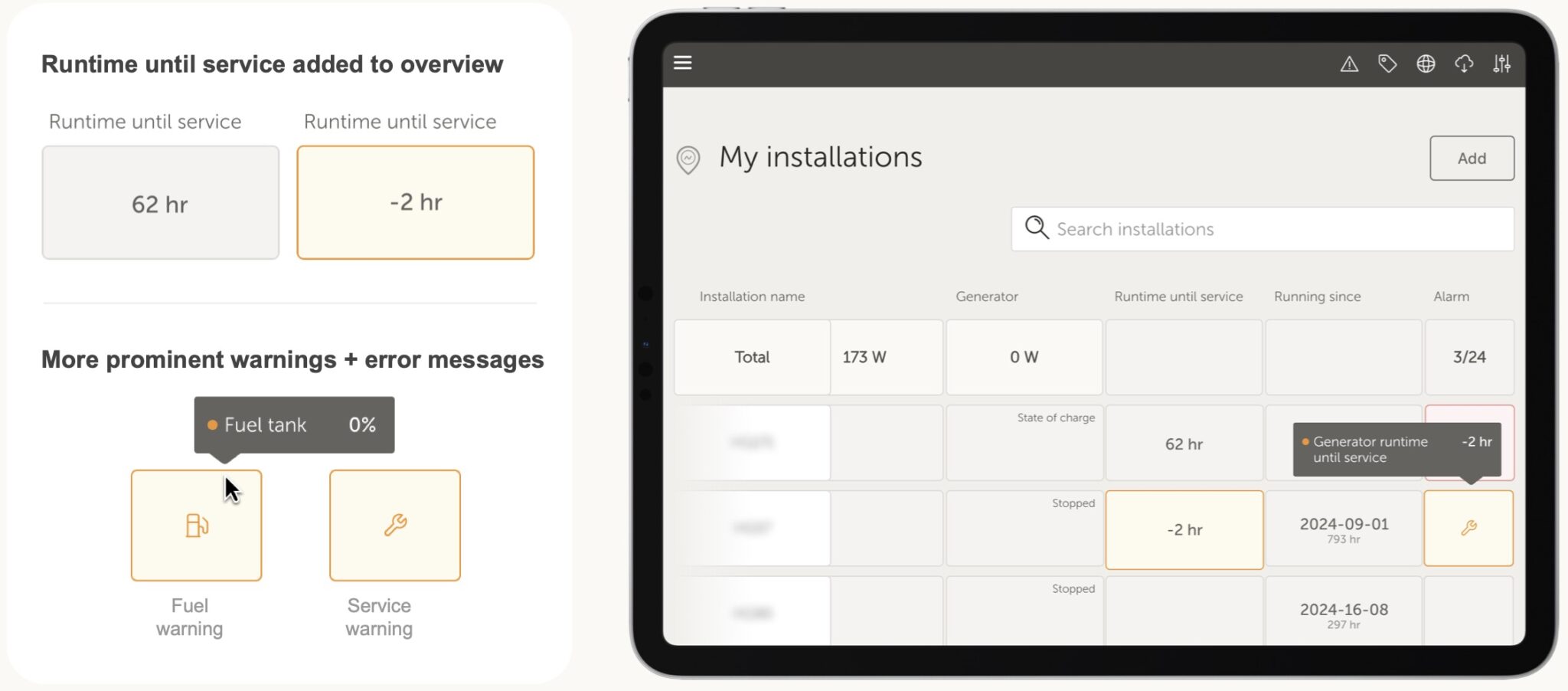
Now you can quickly identify problems by hovering over a warning for details or clicking to open the alarm log.
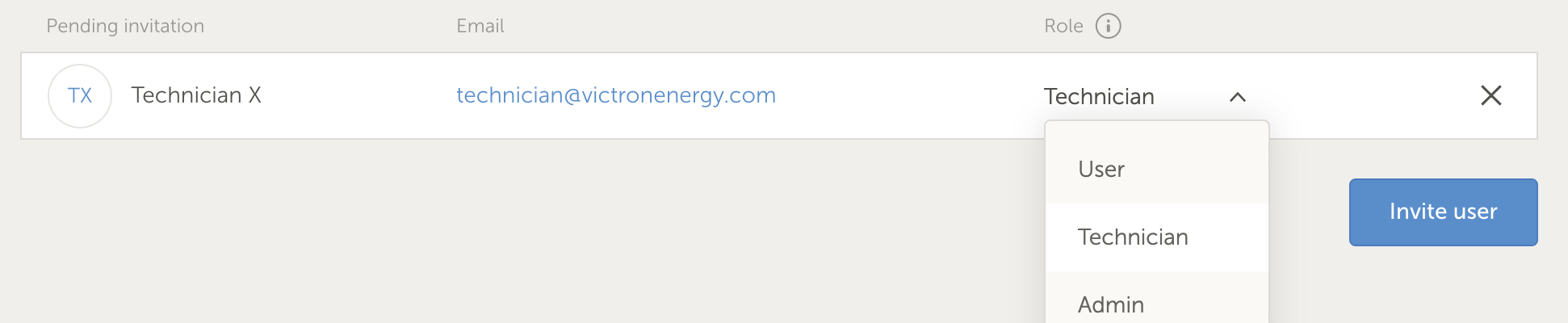
The Technician role provides access to diagnostics, firmware updates, and device control, but limits administrative changes such as deleting sites or users.
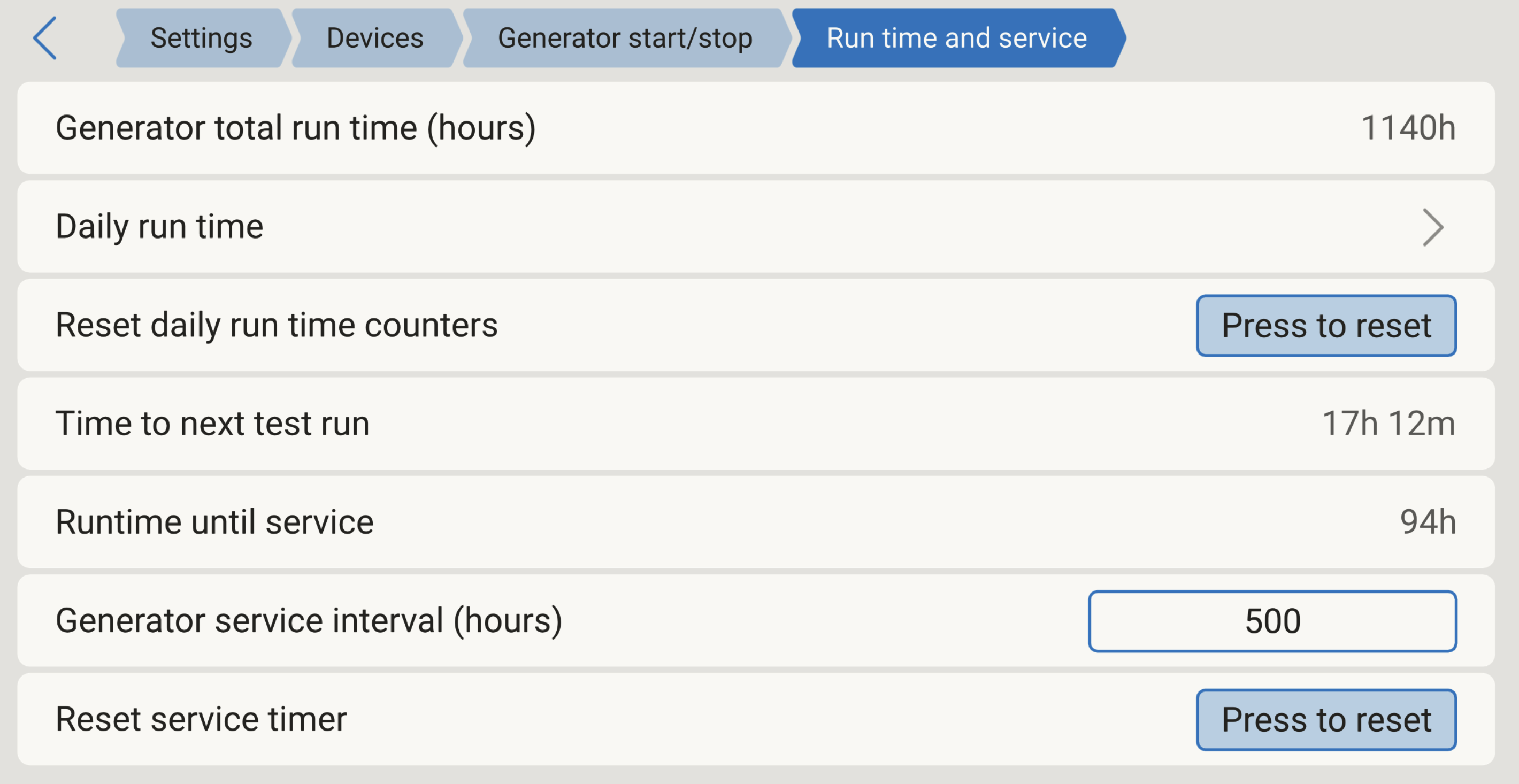
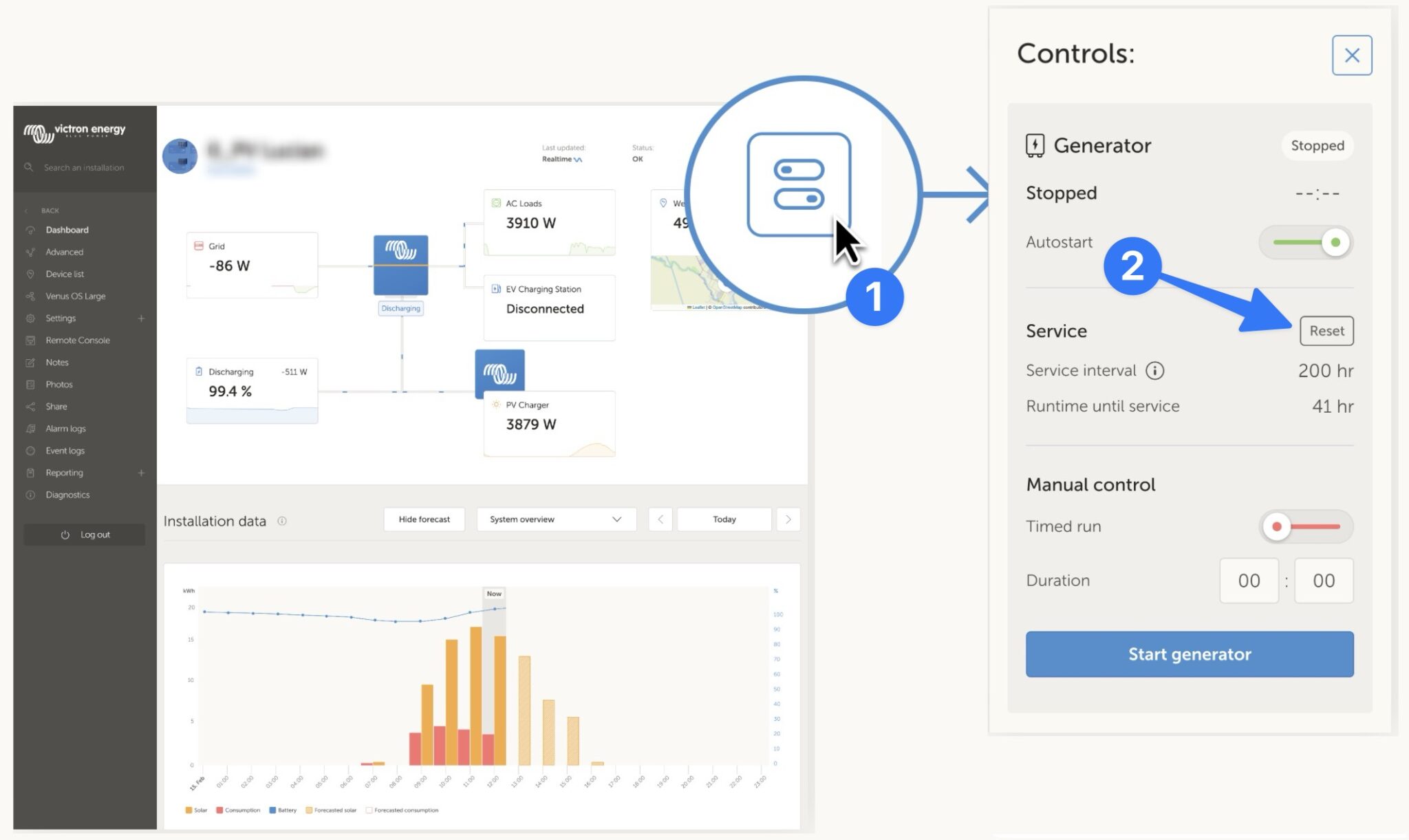
Now you can reset the generator's service interval directly in VRM's control center, without going through the remote console – faster and easier.
Summary: These improvements make VRM more powerful and user-friendly for anyone managing multiple Victron systems. The features save time, increase control, and provide better insight into system status.