Svenska
 Dansk
Dansk
 Suomi
Suomi
 Español
 Deutsch
 Français
 Italiano
 Nederlands
 Polskie
 Norsk
Norsk
Cart
Your cart is empty, but doesn't have to be..
Discount: 0.00 EUR
Justin, Victron Energy |30/06, 2020
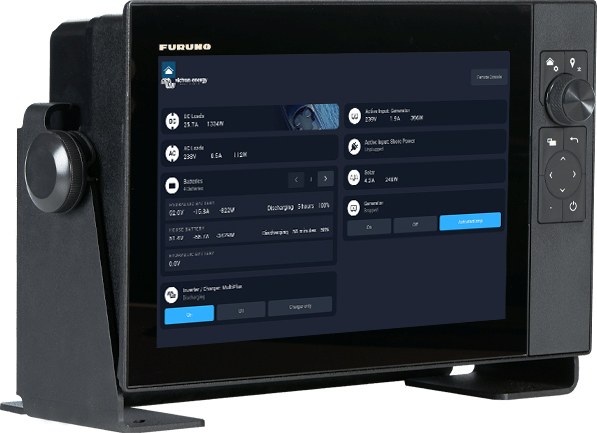
Skippers on commercial and recreational vessels with Furuno navigation systems can now view the boat's energy system data directly on the same screen as other navigation information.
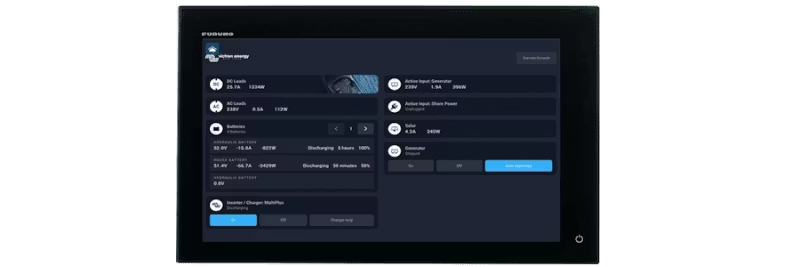
Information on power generation, storage, and consumption is displayed on Furuno's Multifunction Display (MFD) – a solution called Glass Bridge.
Glass Bridge integration eliminates the need for multiple screens and provides a clean, clear dashboard.
Examples of data:
Installation requires a GX device. The Furuno MFD is easily connected with an Ethernet cable. The GX device collects data from all Victron components – inverters, batteries, chargers – and makes the information available on the MFD.
Integration is also possible via the GX device's NMEA2000 output with a VE.Can to NMEA2000 cable. This method provides more flexibility and customization. Read more here.
All Victron inverter/chargers from 500 VA up to 3-phase 180 kVA systems, including MultiPlus and Quattro (230VAC and 120VAC). All Victron MPPT solar chargers and battery monitors: BMV-700/702/712, Lynx Shunt VE.Can and Smart Shunt.