Explore how the Cerbo GX connects solar panels, batteries, sensors, and networks for full control and flexibility.
The Cerbo GX from Victron Energy is the hub of a modern energy system. It collects data from all components and makes it easy to monitor and control the system. Here is a complete overview of all connection options:
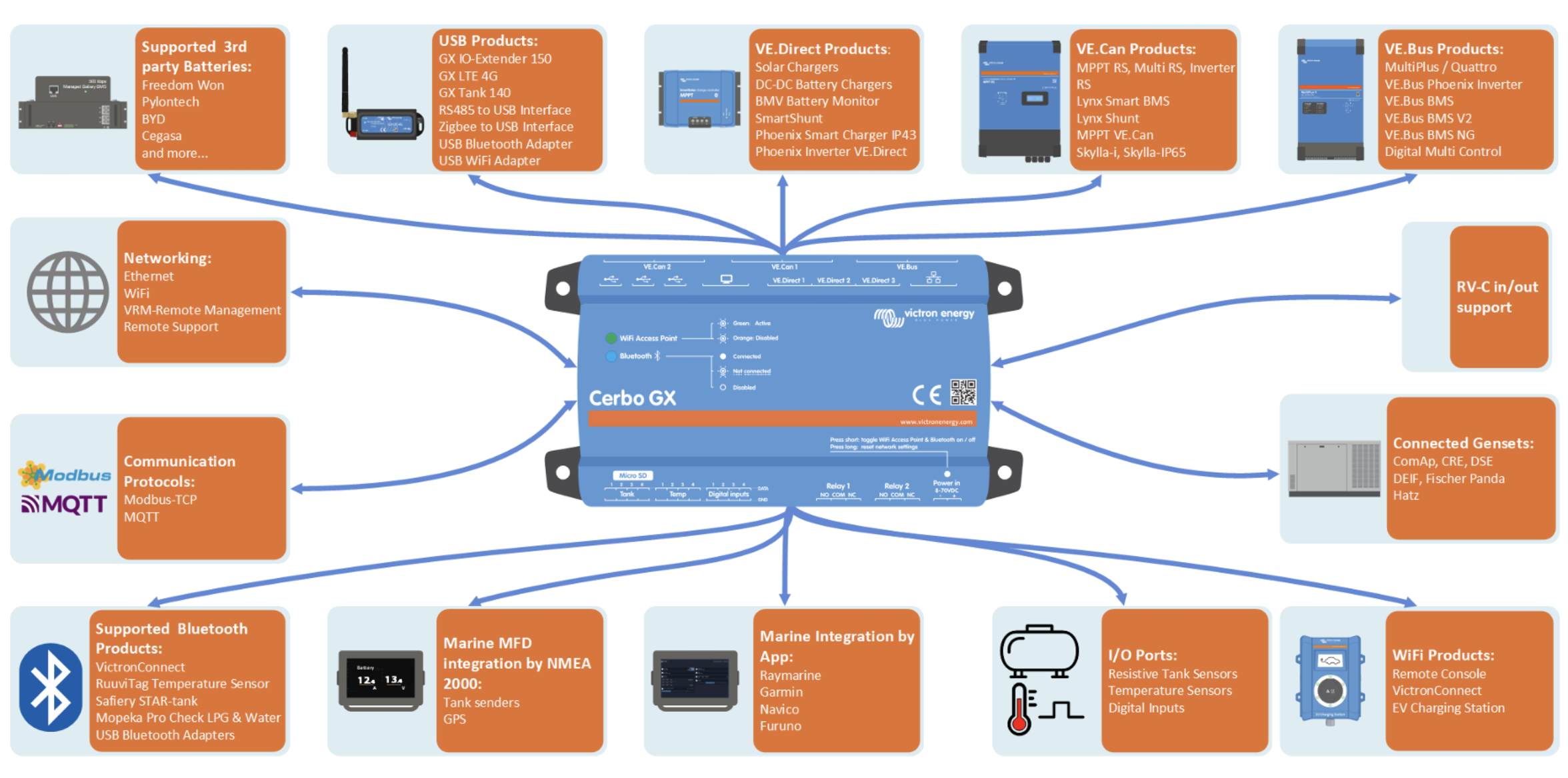
1. USB ports
- For Wi-Fi dongles, 4G/LTE modems, and Bluetooth adapters.
2. VE.Direct and VE.Bus
- VE.Direct: For solar charge controllers, battery monitors, and other Victron devices.
- VE.Bus: For inverters and MultiPlus/Quattro units.
3. VE.Can
- Used to connect CAN-based devices, such as battery management systems (BMS) and certain third‑party products.
- Enables communication with larger systems and advanced integrations.
4. Digital inputs and relay outputs
- Digital inputs for sensors (e.g., level or temperature sensors).
- Relay outputs for automation, such as starting a generator when battery levels are low.
5. Analog inputs
- For measuring voltage, temperature, or other analog signals.
- Ideal for custom solutions where you need additional data from external sensors.
6. Ethernet and Wi‑Fi
- Ethernet for a stable network connection.
- Wi‑Fi via USB dongle for wireless connectivity.
7. HDMI and display connection
- HDMI output for an external display.
- Supports the Victron Touch 50 display for direct control.
8. VRM Portal
- All these connections make it possible to connect the Cerbo GX to Victron Remote Management (VRM) for remote monitoring and control.

 Svenska
 Dansk
Dansk
 Suomi
Suomi
 Español
 Deutsch
 Français
 Italiano
 Nederlands
 Polskie
 Norsk
Norsk
