
 Svenska
 Dansk
Dansk
 Suomi
Suomi
 Español
 Deutsch
 Français
 Italiano
 Nederlands
 Polskie
 Norsk
Norsk
Cart
Your cart is empty, but doesn't have to be..
Discount: 0.00 NOK
Digital Skipper |12/06, 2025

Combining video tracking with radar is a powerful solution to increase safety and improve navigation at sea. FLIR Marine offers advanced systems that enable automatic target tracking and integrate cameras with radar for maximum situational awareness.
Video tracking means the camera automatically follows an object in real time. This is especially valuable when you need to keep track of moving targets like other boats, buoys or obstacles – even in difficult weather conditions or in the dark.
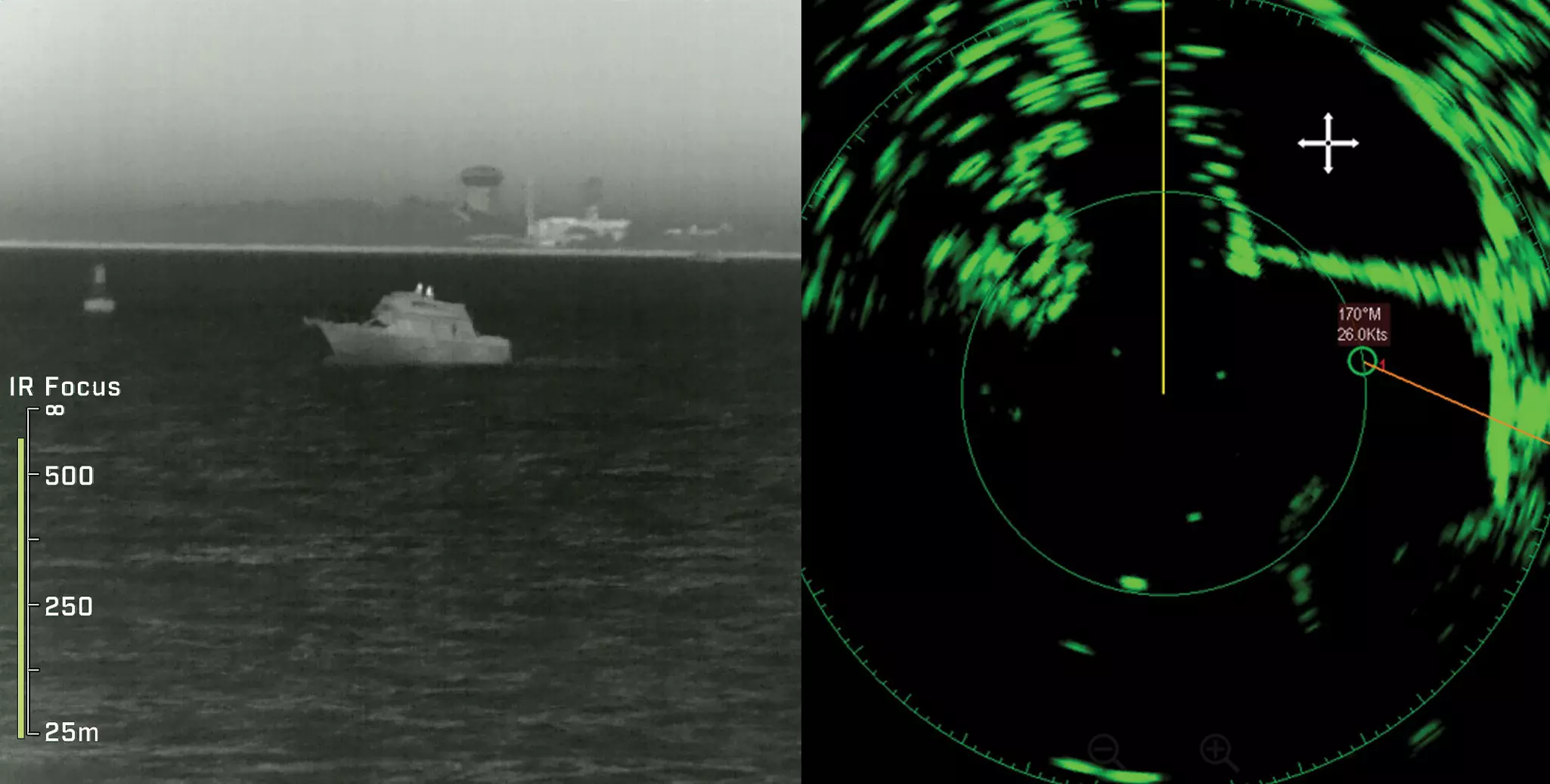
Radar is essential for detecting objects that are not visible to the naked eye, such as in fog or at night. When radar and video tracking work together, you get:
Video tracking with radar integration works with the following FLIR cameras:
Note: The camera must be connected to a compatible network and controlled via an MFD that supports video tracking.
Connect the radar
Connect the radar to your MFD (Multi-Function Display) via Ethernet or NMEA 2000. Make sure it has the latest firmware.
Network settings
Connect the camera to the same network as the MFD. Assign a static IP address for stable communication.
Configure in MFD
Activate “Video Tracking” in the menu. Select the radar object to be tracked – the camera will automatically point to the target. Adjust tracking speed and zoom as needed.